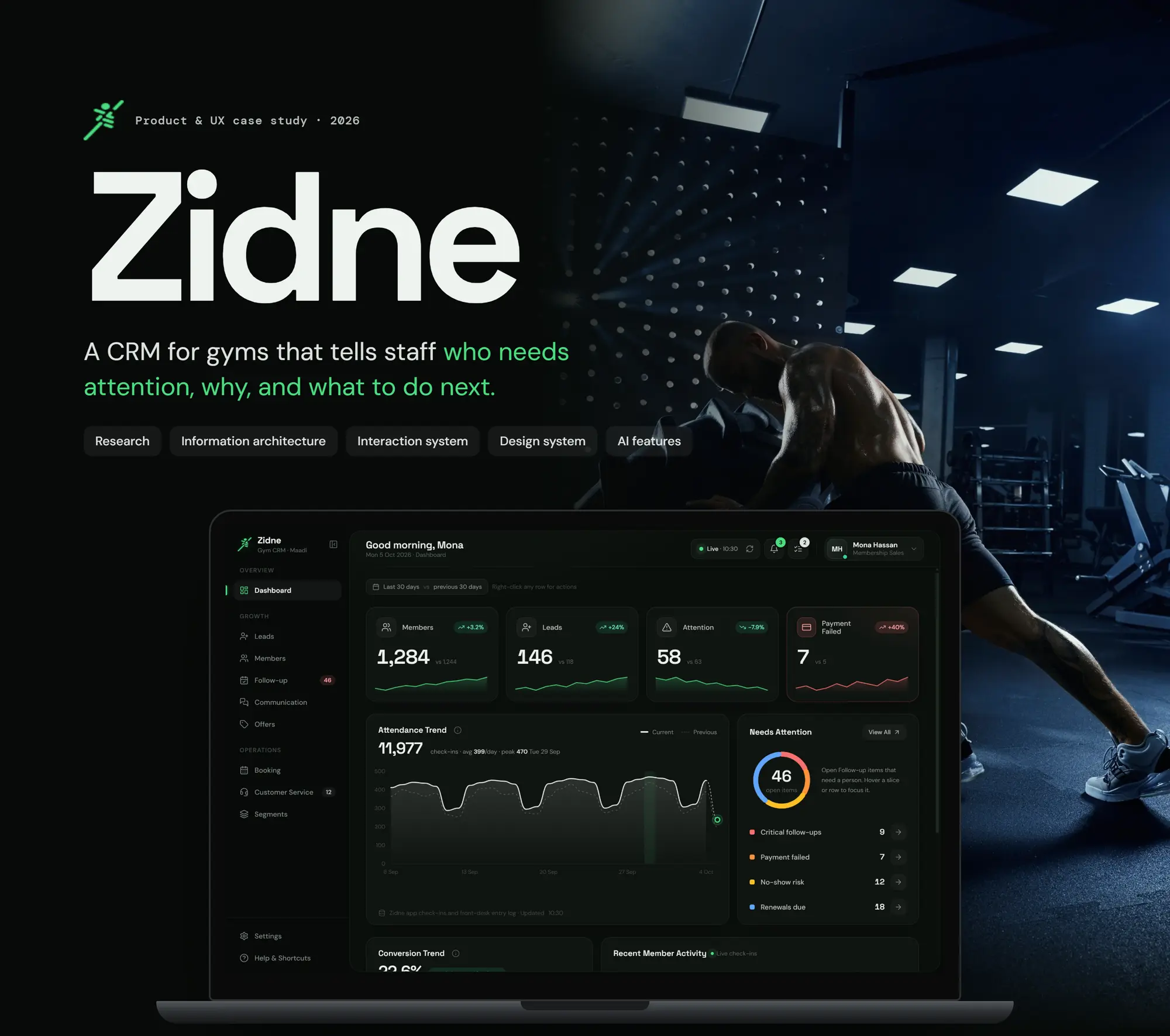
Zidne CRM
A CRM for gyms that tells staff who needs attention, why, and what to do next.
Self-initiated concept
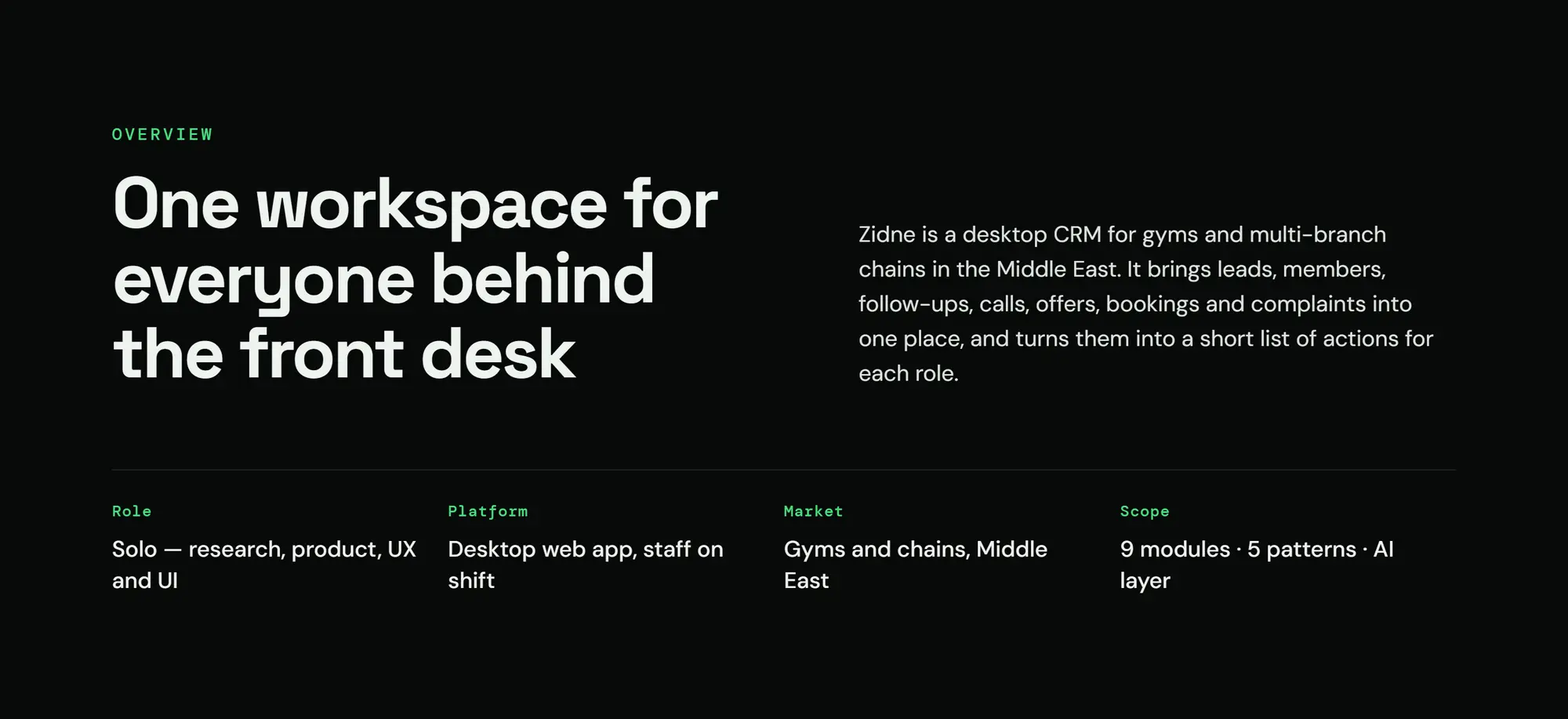
- Type
- Product Design · UX Case Study
- Platform
- Desktop web app, front-desk tablet ready
- Market
- Gyms and chains, Middle East
- My role
- Solo: research, product, UX and UI
- Scope
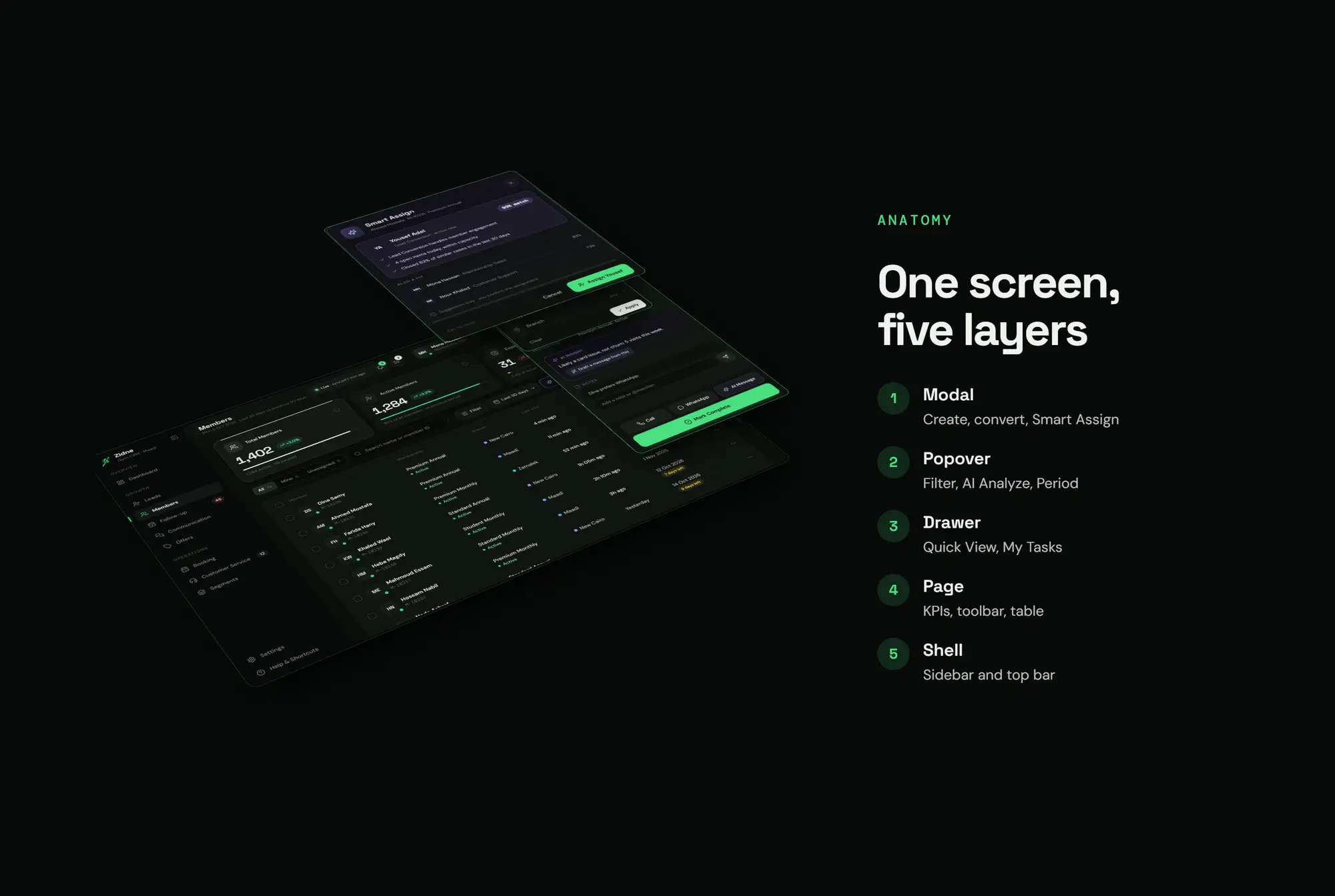
- 9 modules · 5 patterns · AI layer
- Tools
- Figma · Notion · Photoshop · AI
- Project
- Self-initiated concept
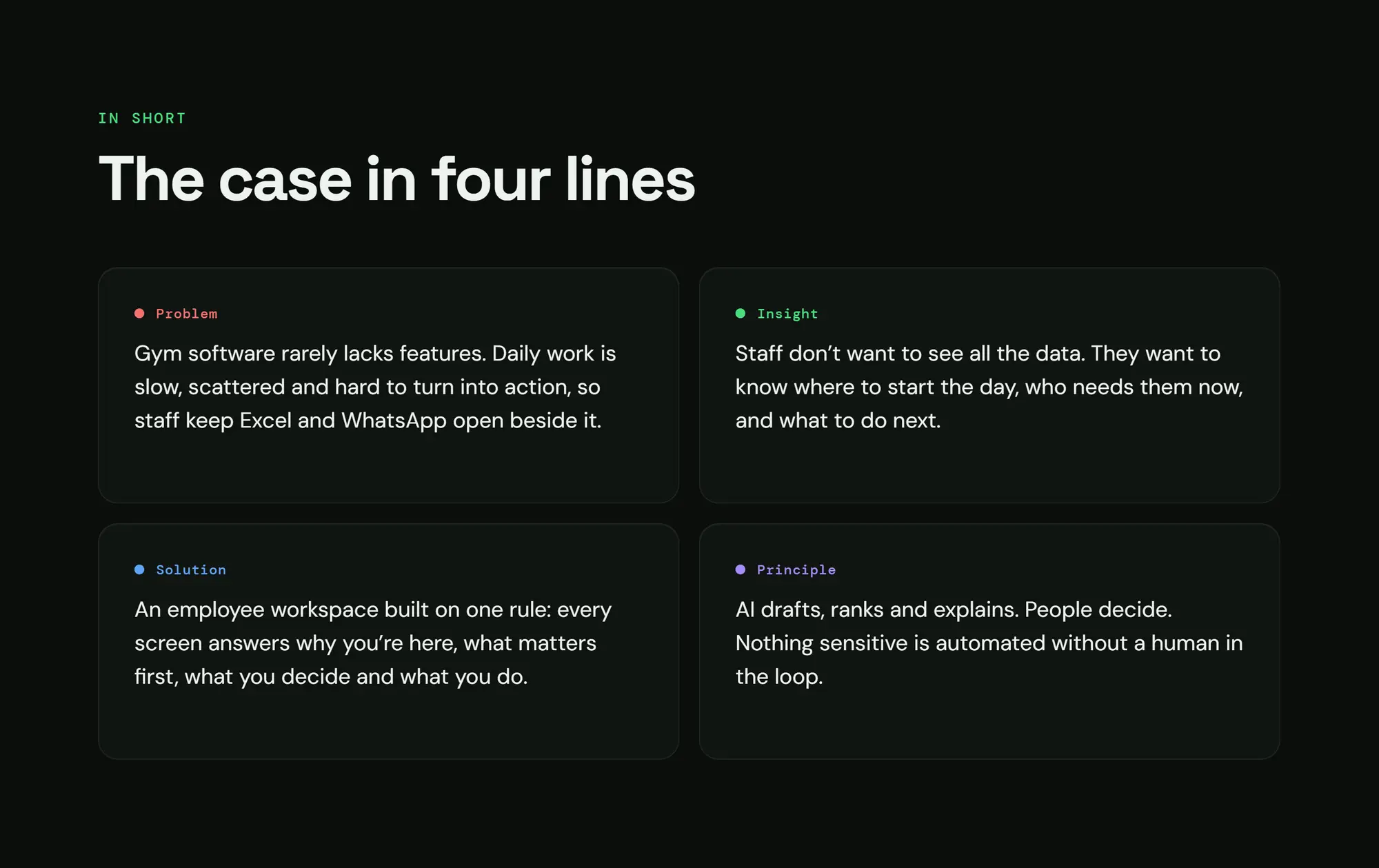
The case in 4 lines
- 01Problem
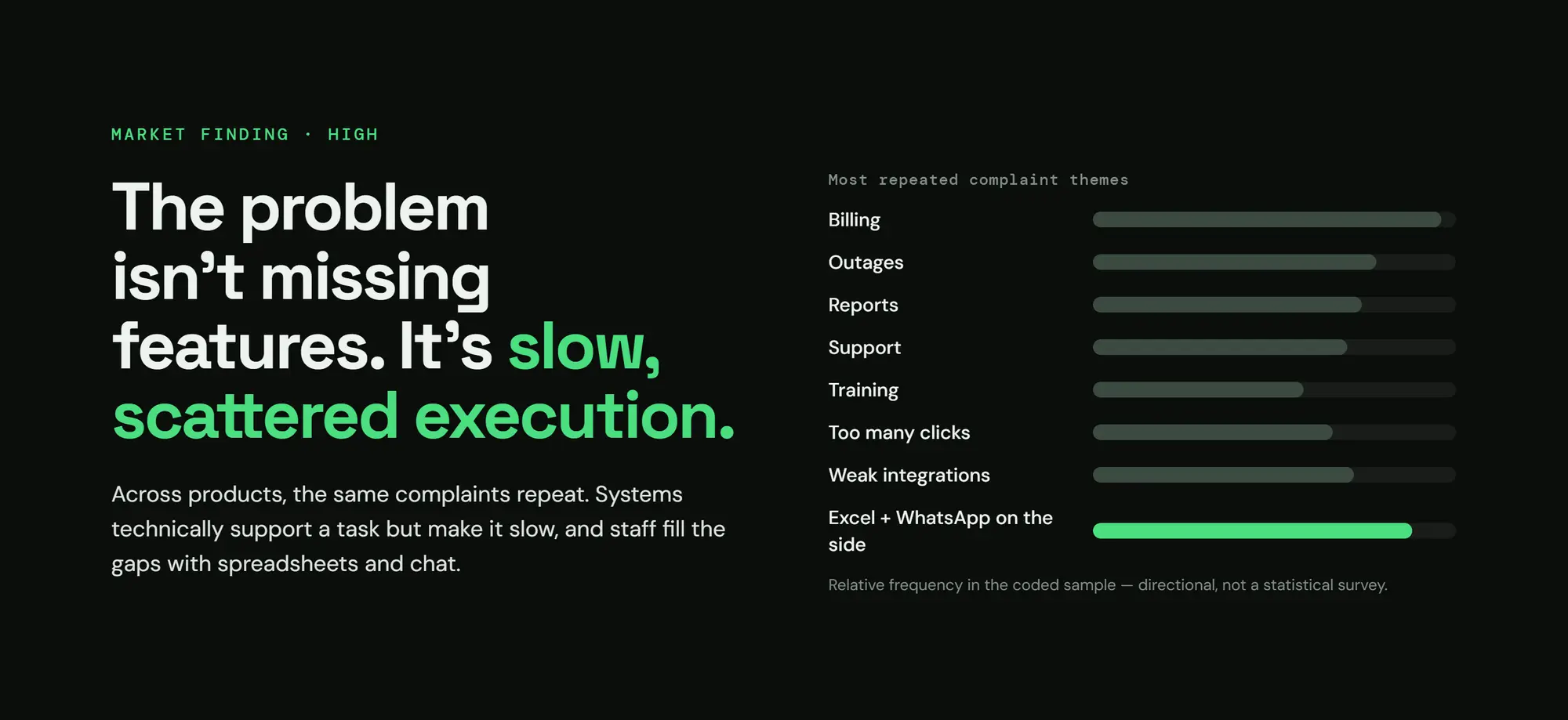
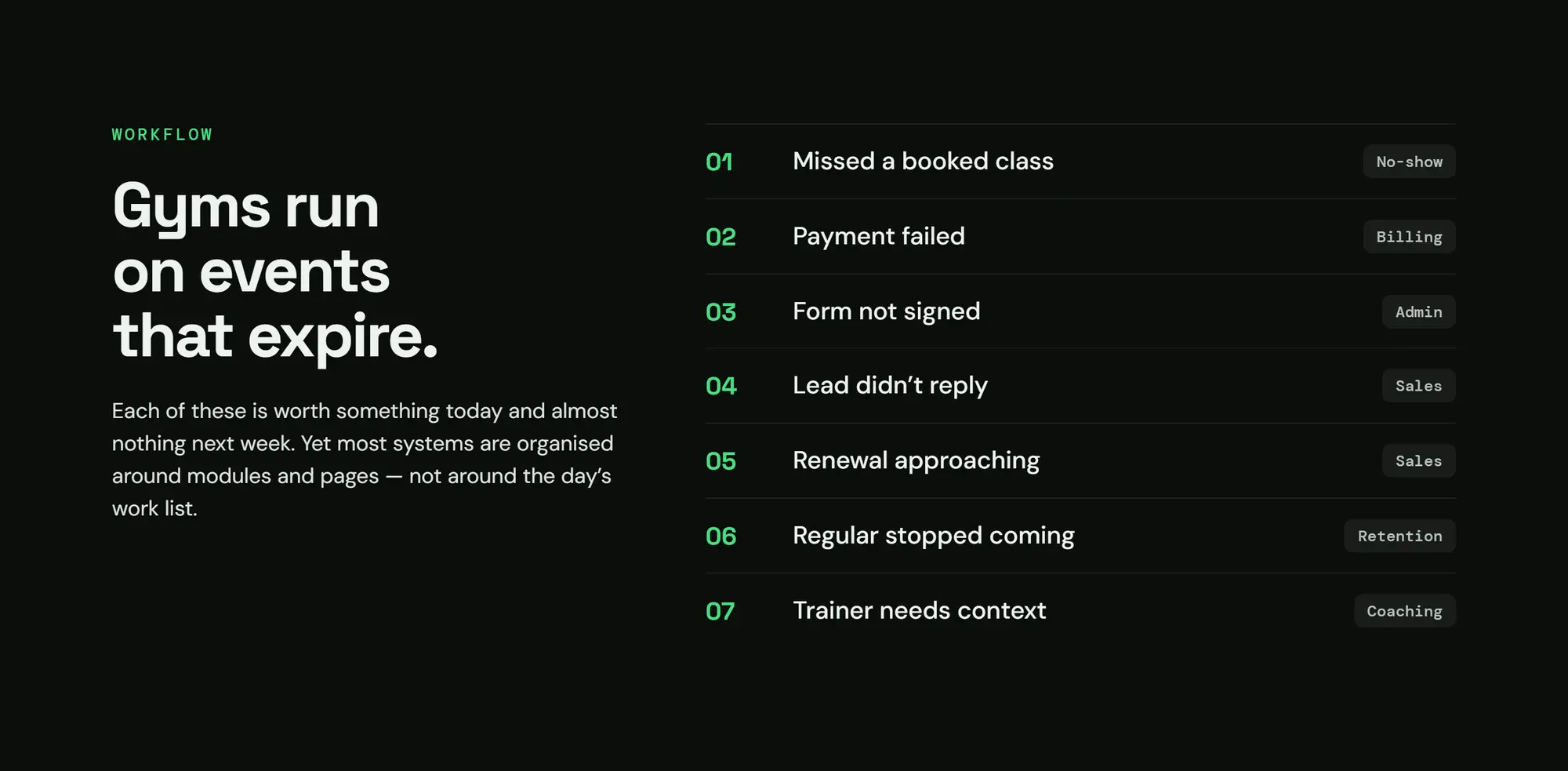
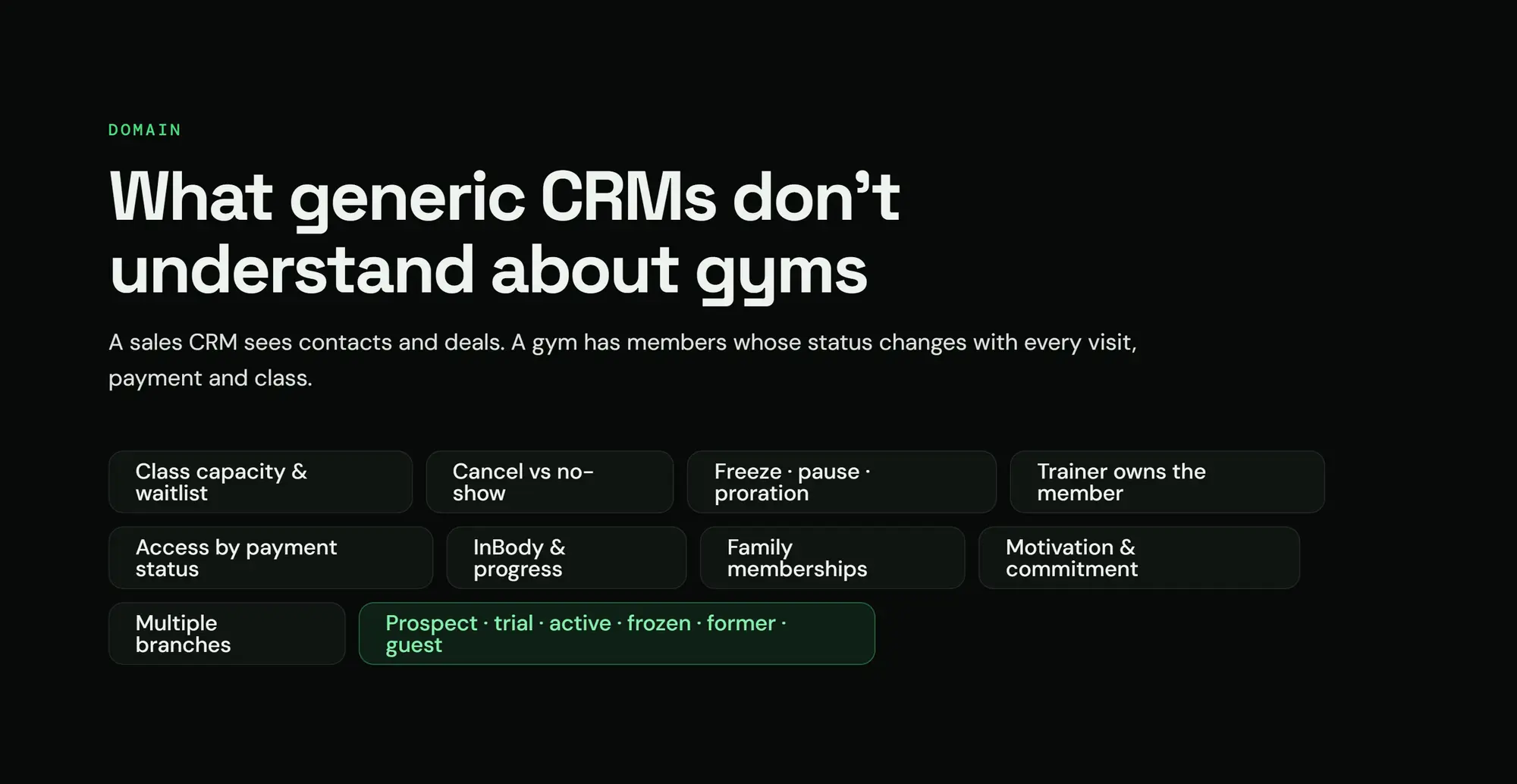
- Gym software rarely lacks features. Daily work is slow and scattered, so staff keep Excel and WhatsApp open beside it. Gyms don't lose members at the door. They lose them between shifts.
- 02InsightP02
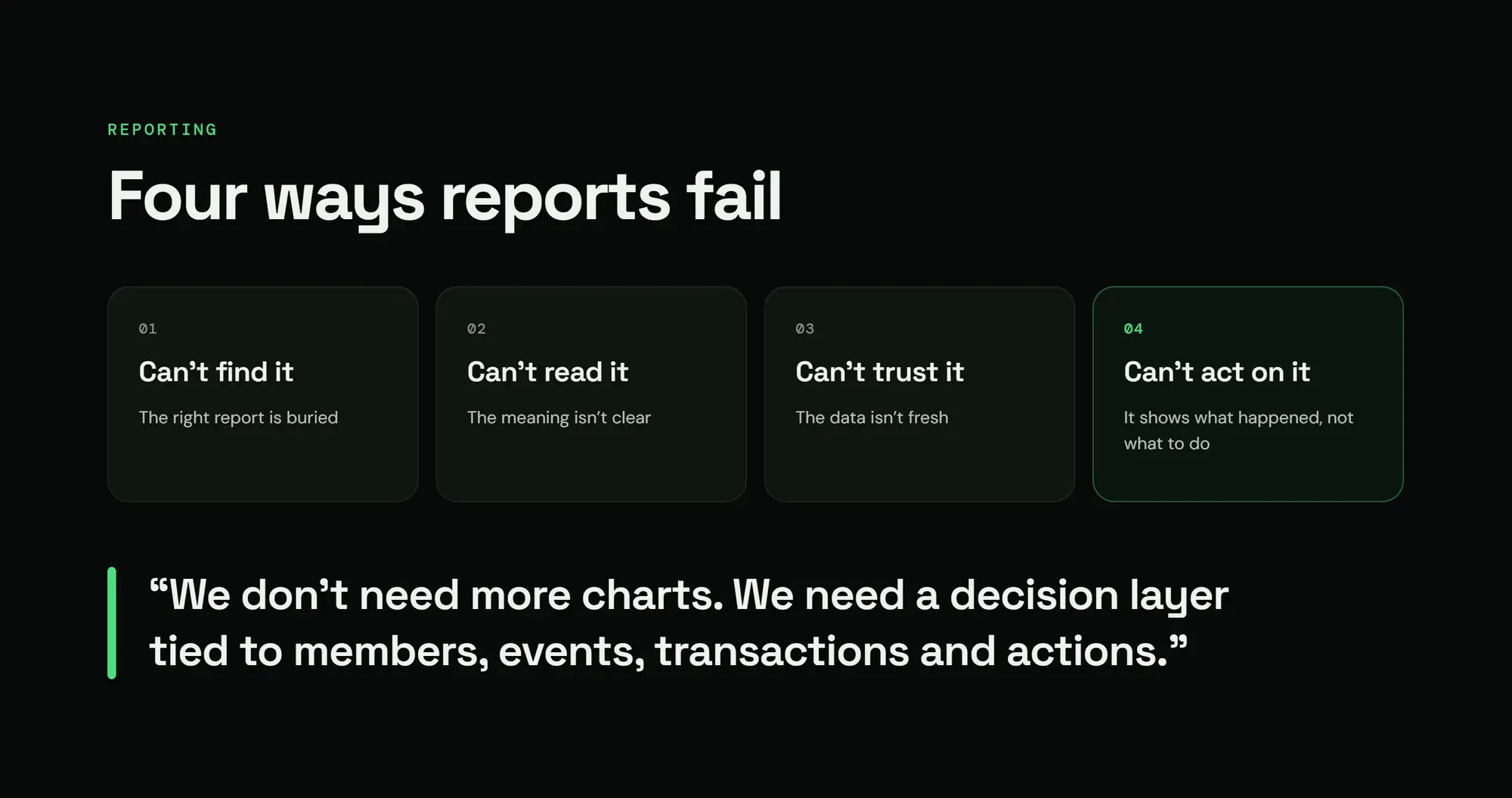
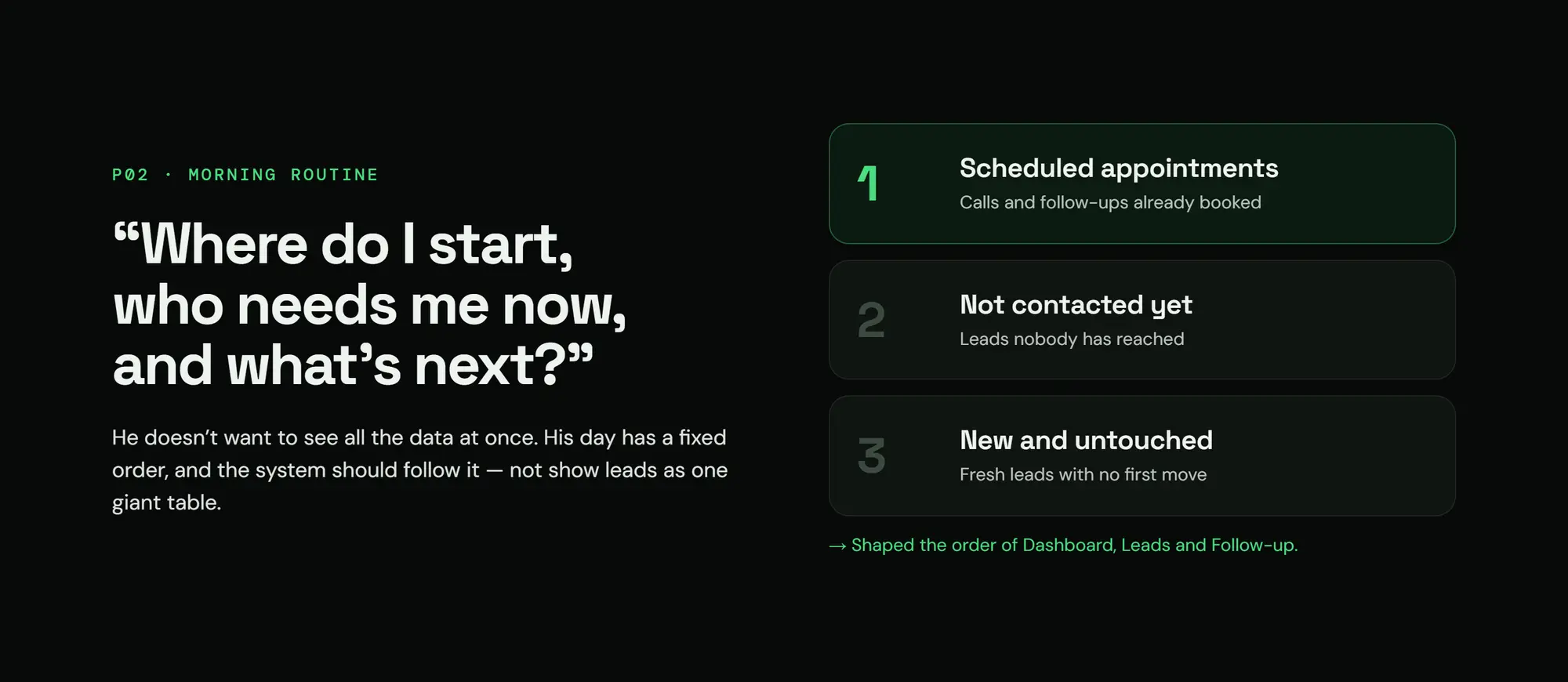
- Staff don't want all the data. They want to know where to start, who needs them now, and what's next.
- 03Solution
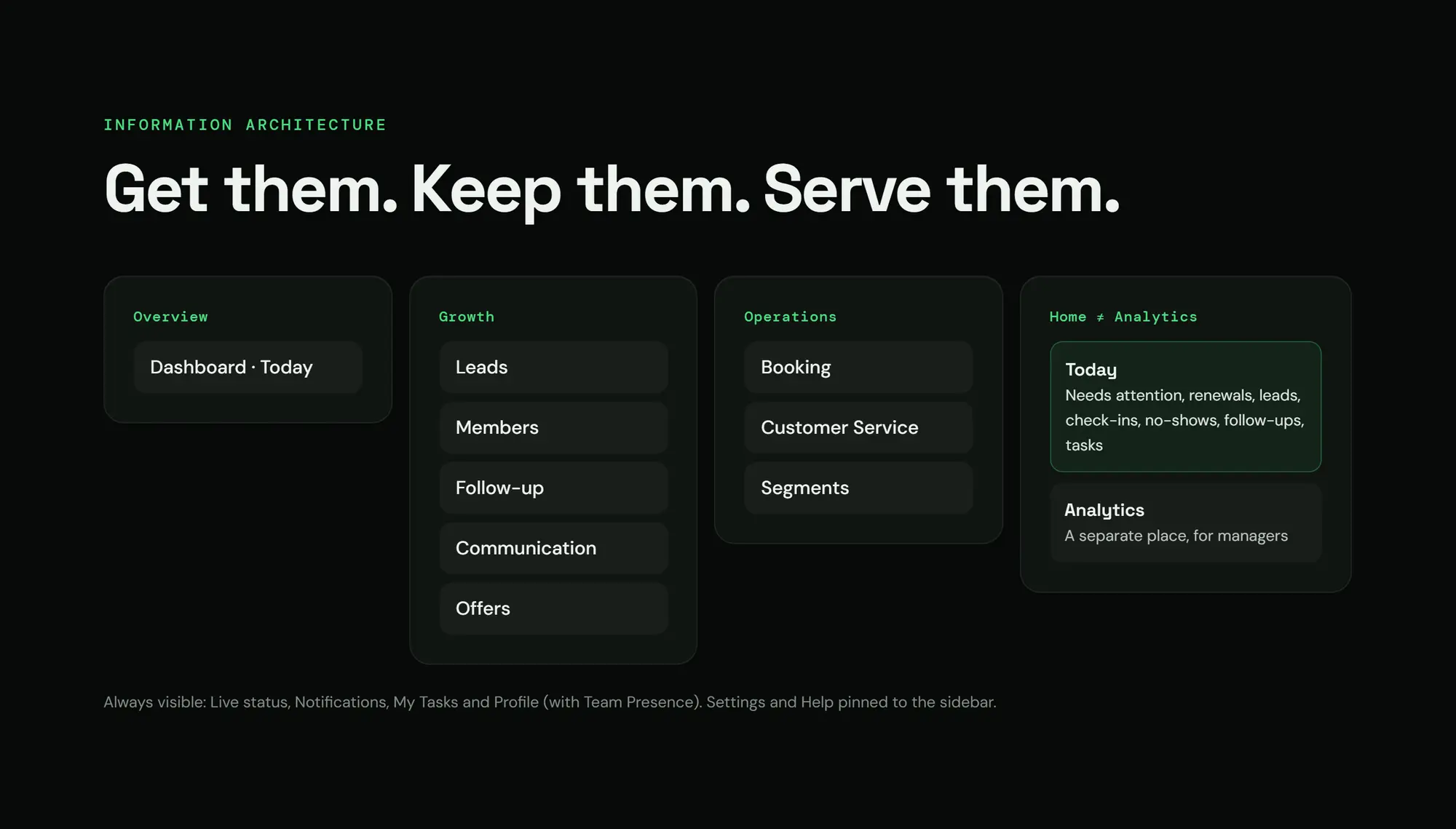
- From "a system that shows everything" to "a workspace that asks 3 questions": who needs your attention, why, and what's next?
- 04Principle
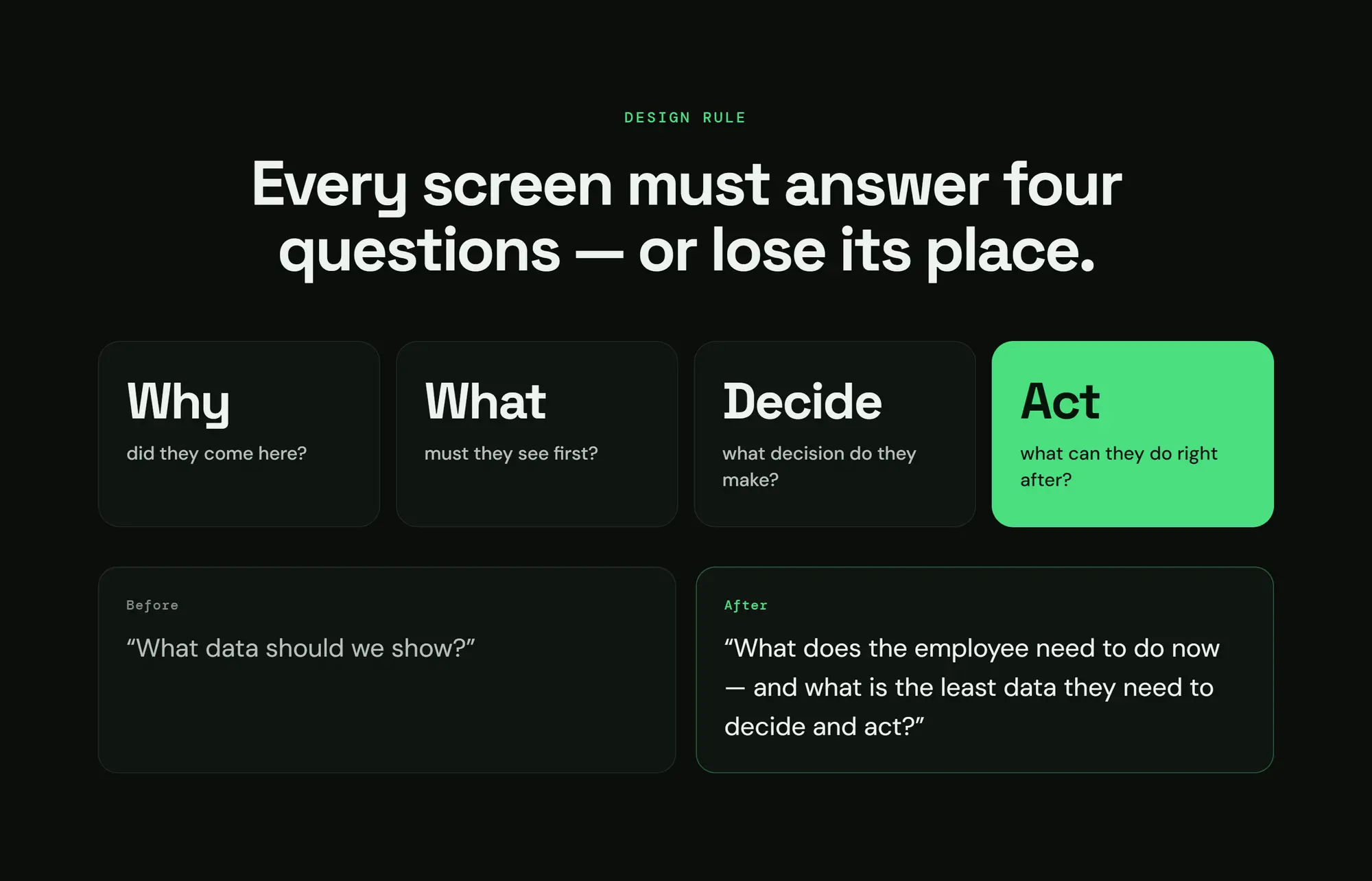
- Every screen has to answer 4 questions: why is the staff member here? What do they see first? What do they decide? What do they do next? Otherwise it goes.
Research
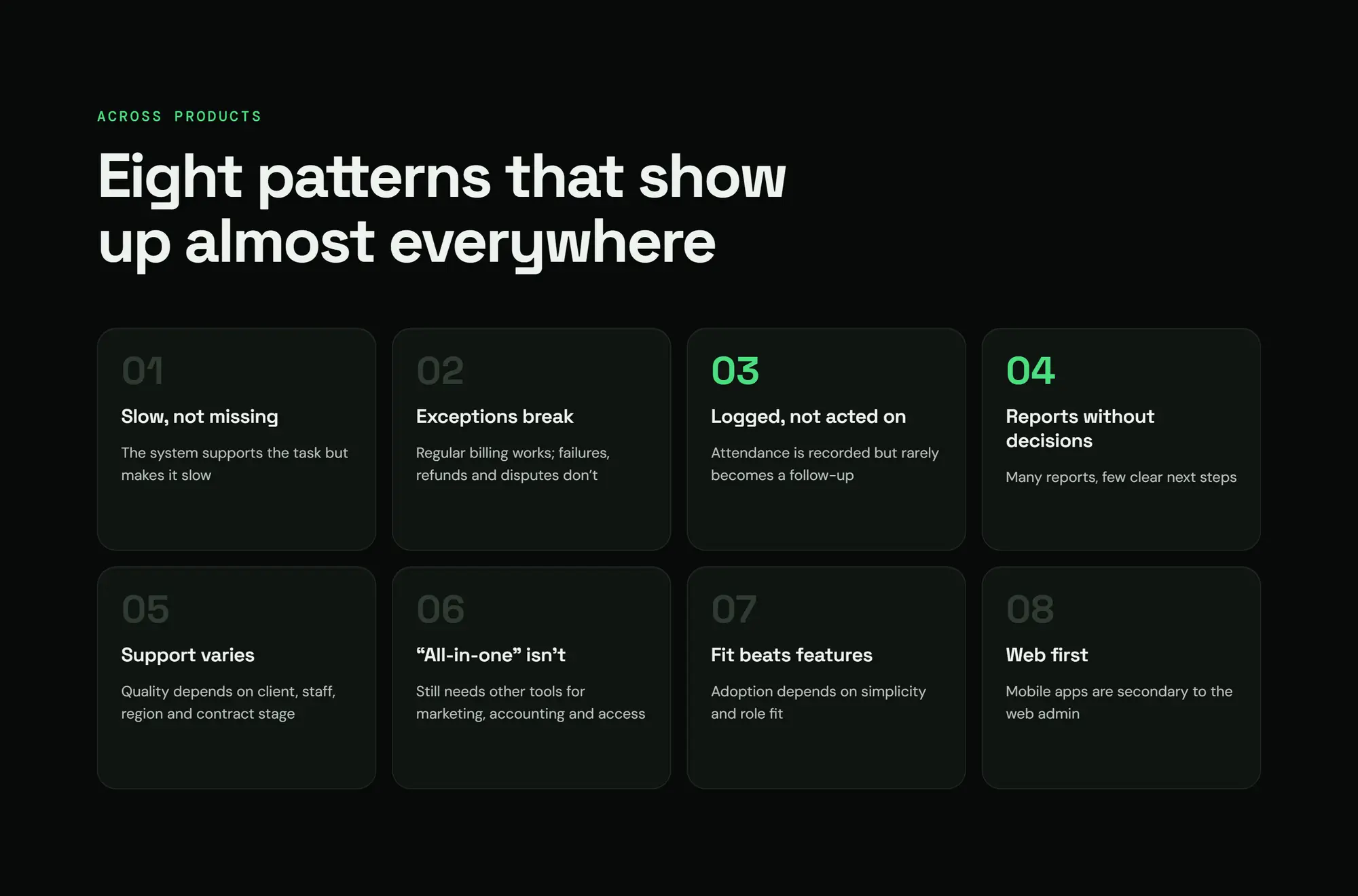
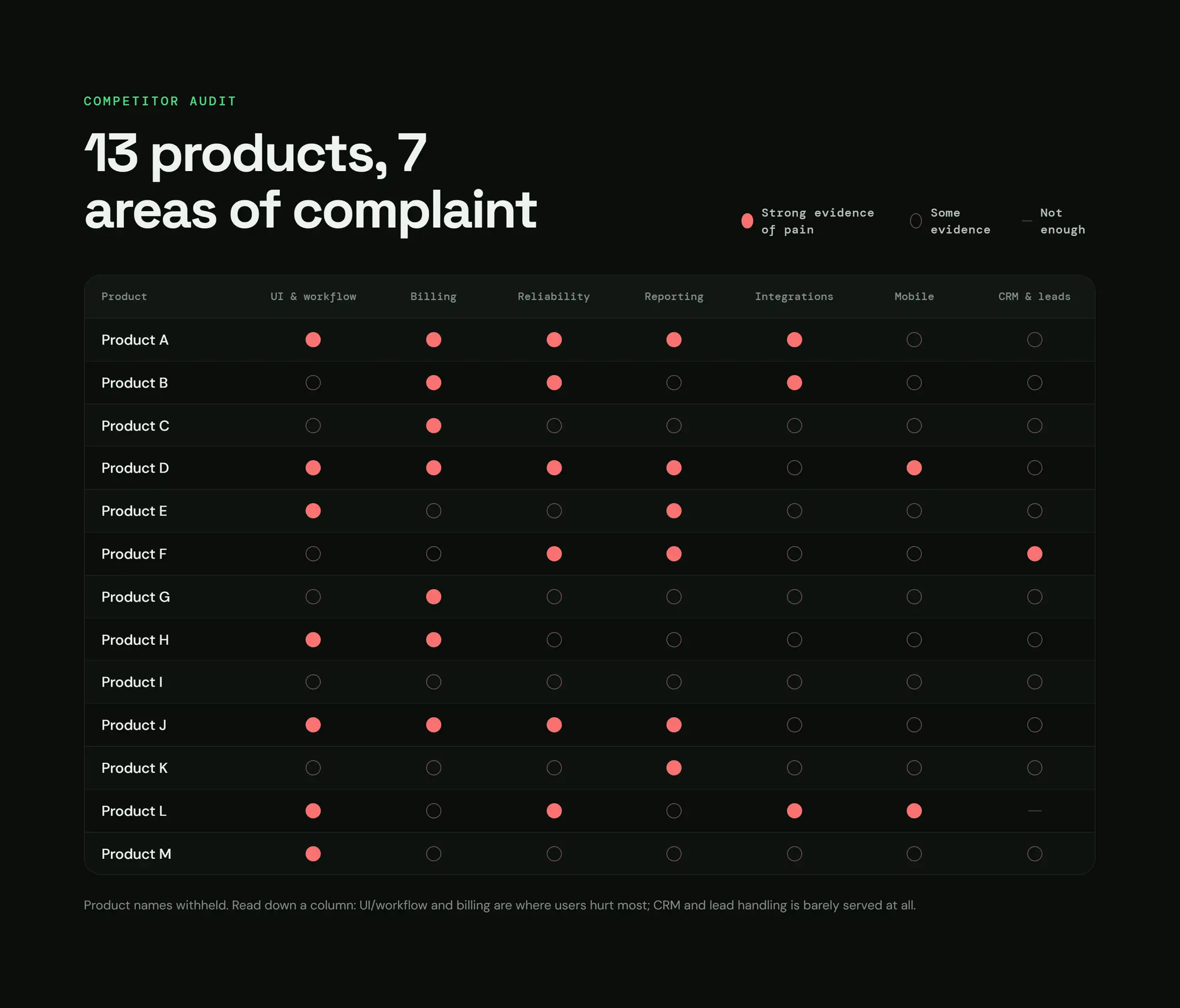
- products audited across 7 complaint areas
- 13.
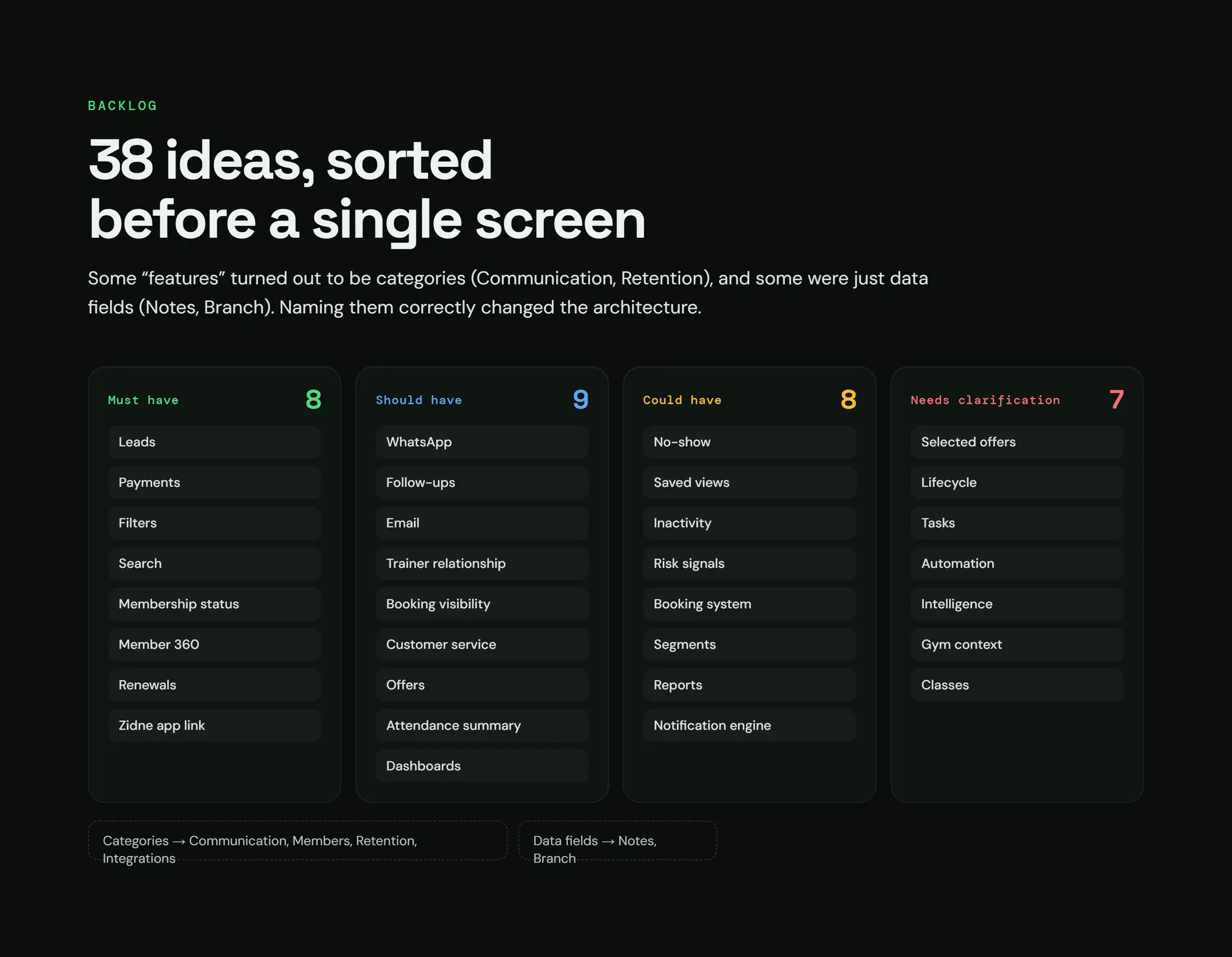
- ideas sorted with MoSCoW
- 38.
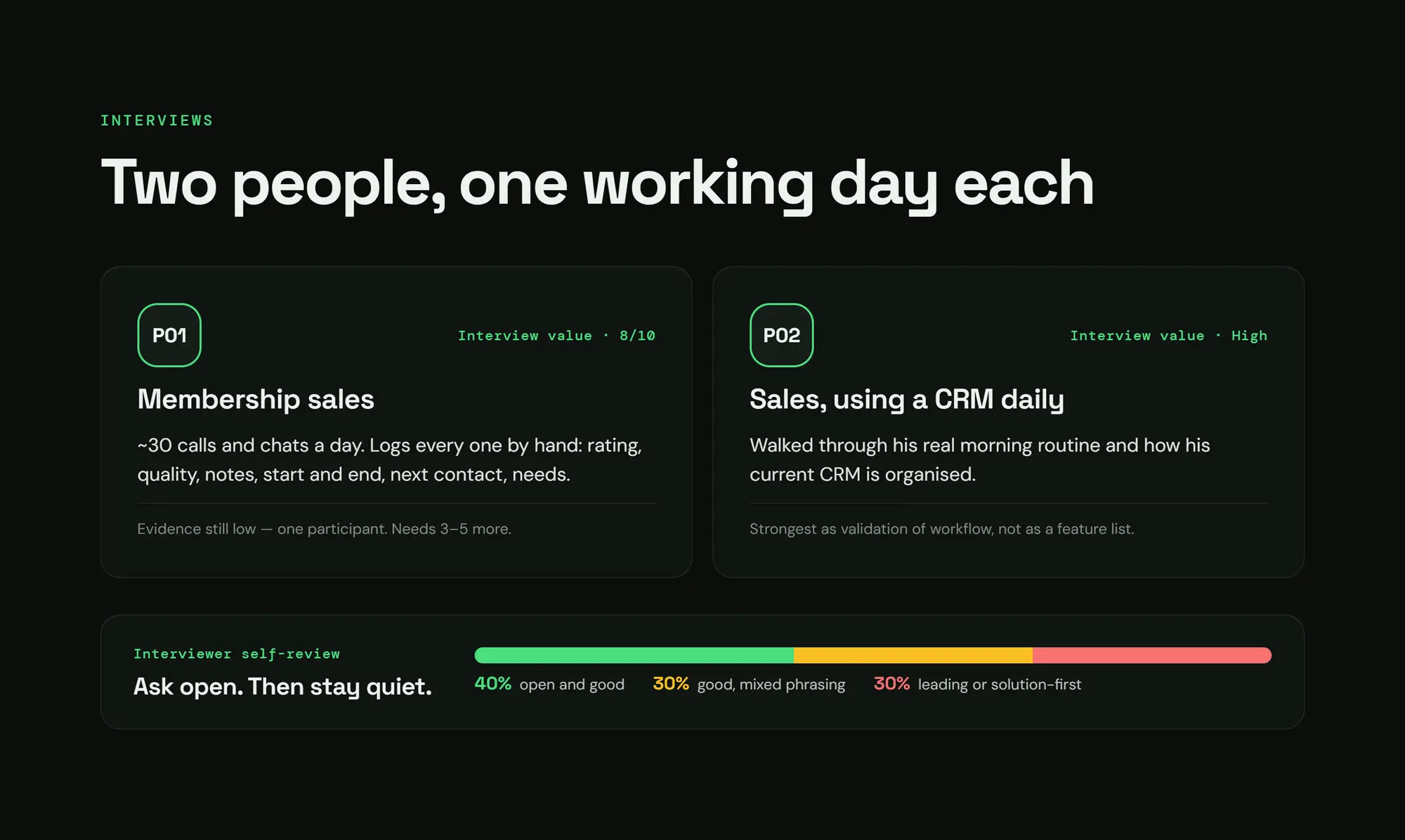
- interviews with sales staff, one real working day each
- 2.
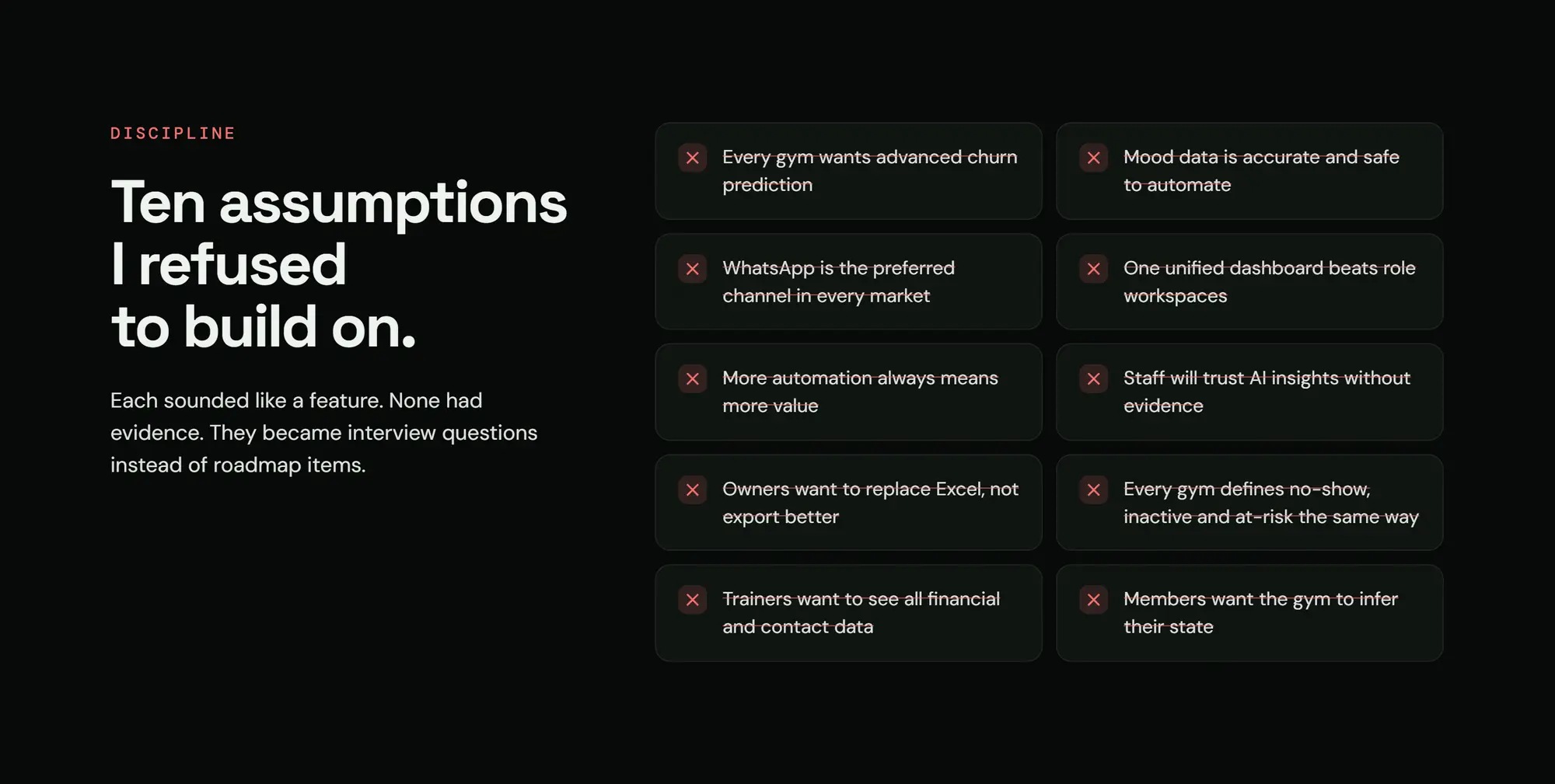
- assumptions I refused to build on, because there was no evidence
- 10.
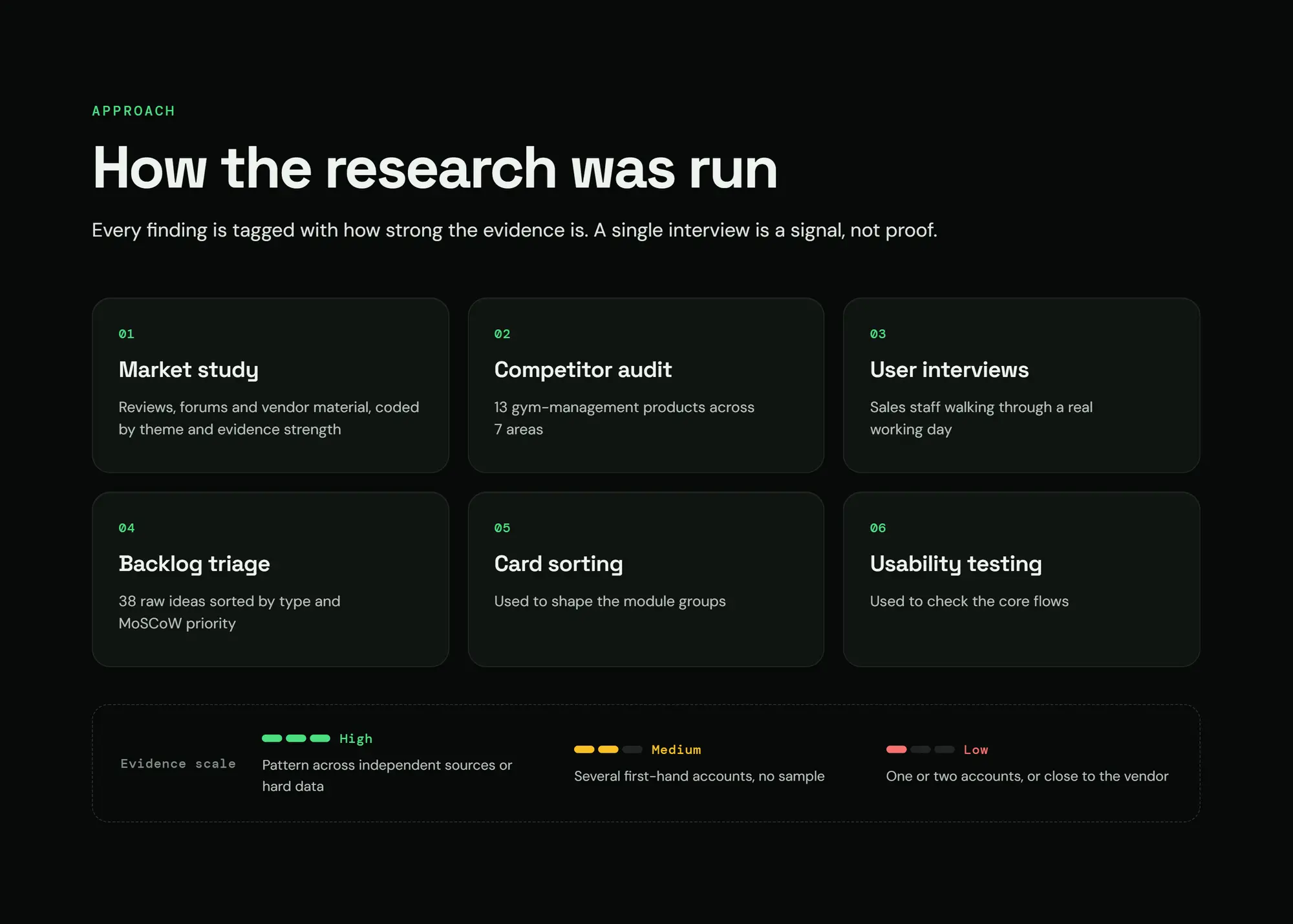
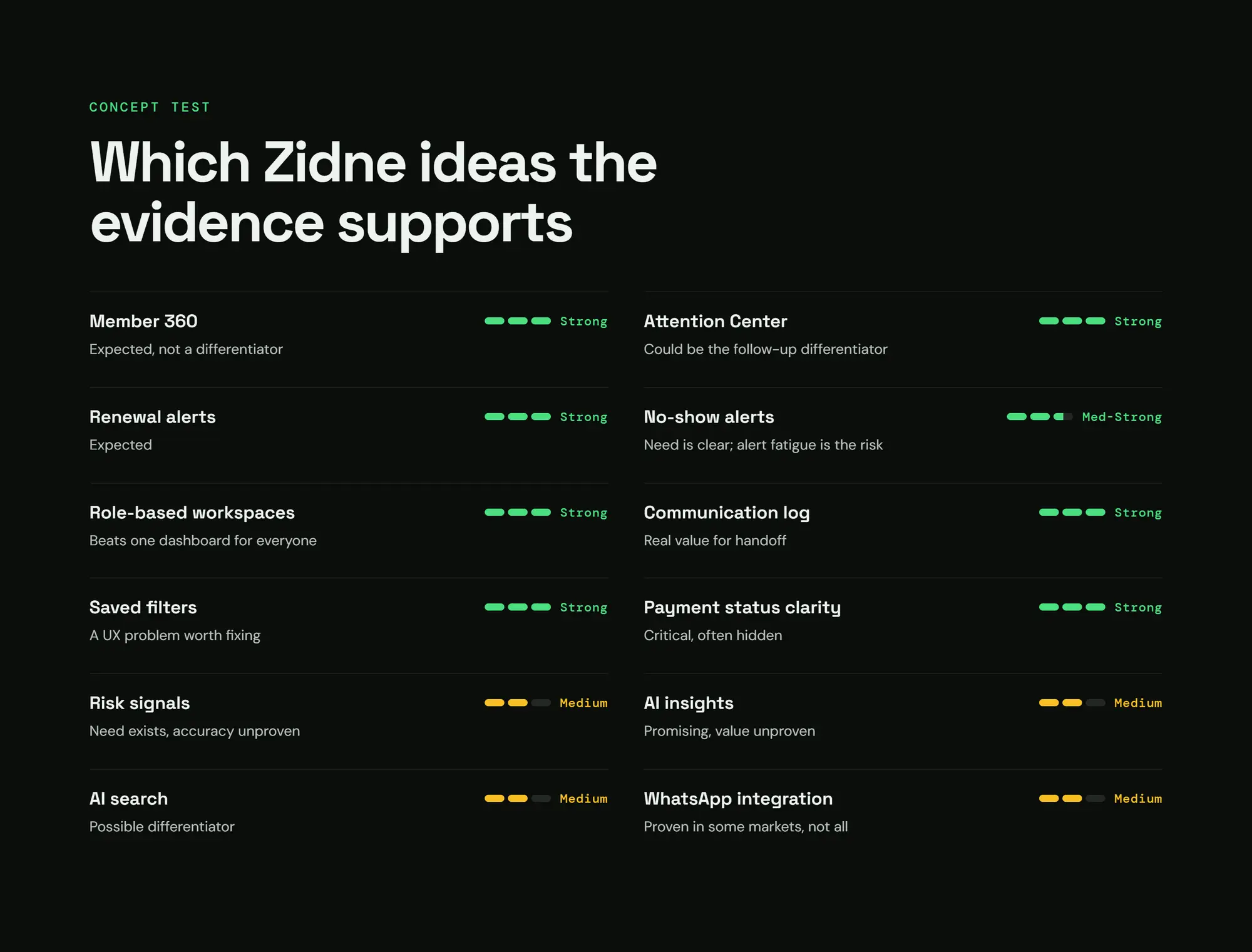
Evidence scaleEvery finding is tagged: strong / medium / weak
The turning point
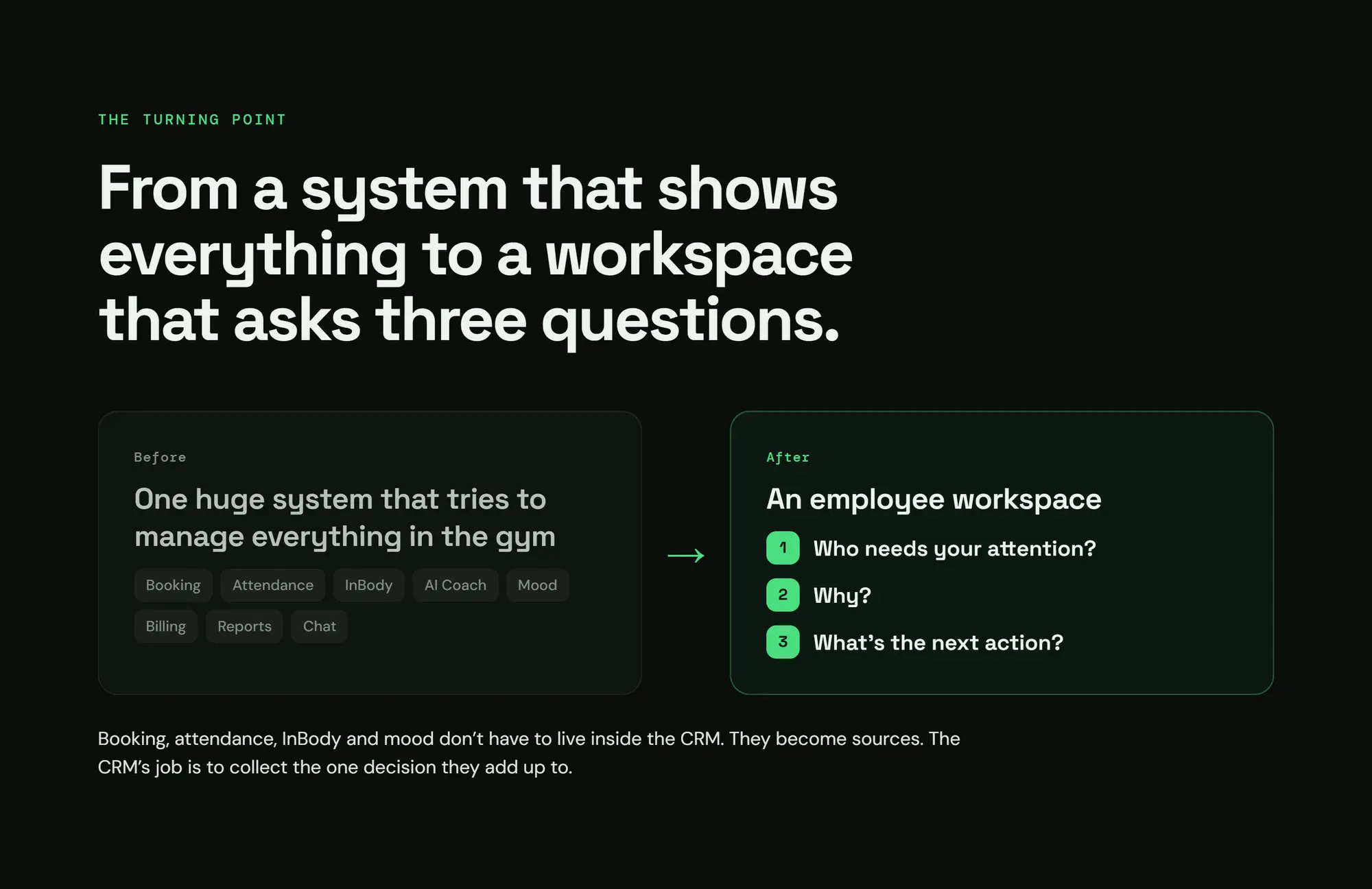
D1: From "a system that shows everything" to "a workspace that asks 3 questions"
- Who needs your attention? Why? What's next?
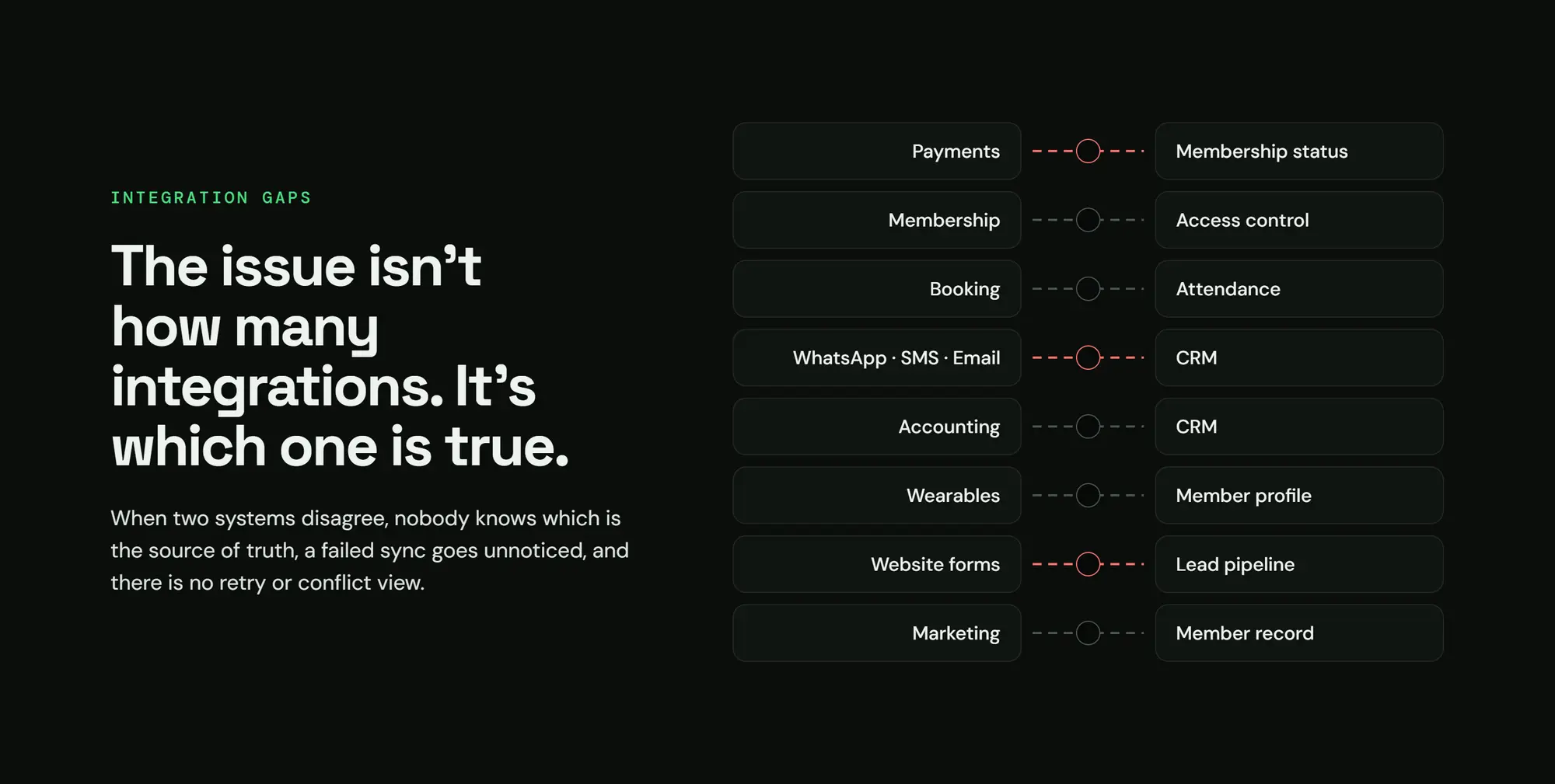
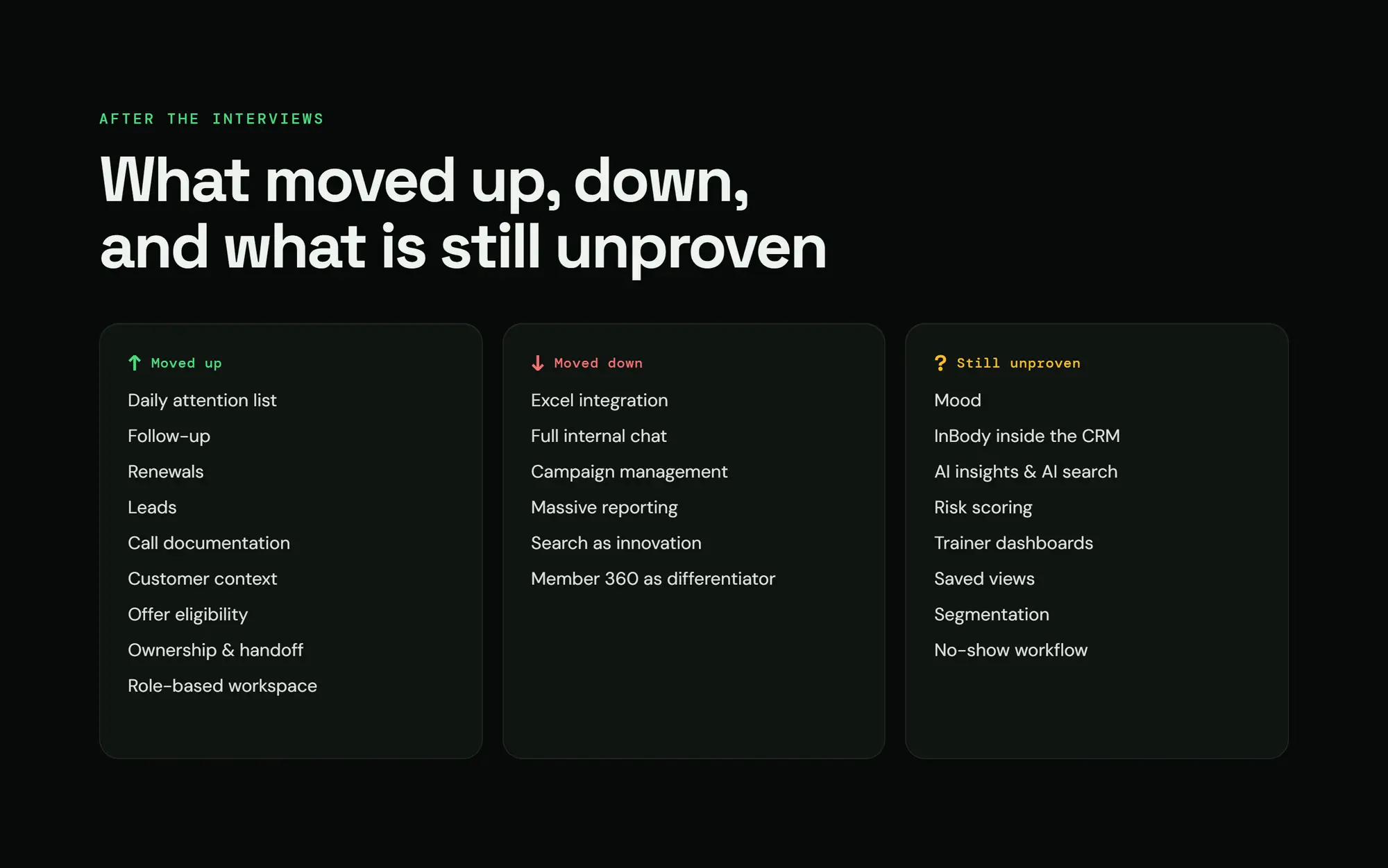
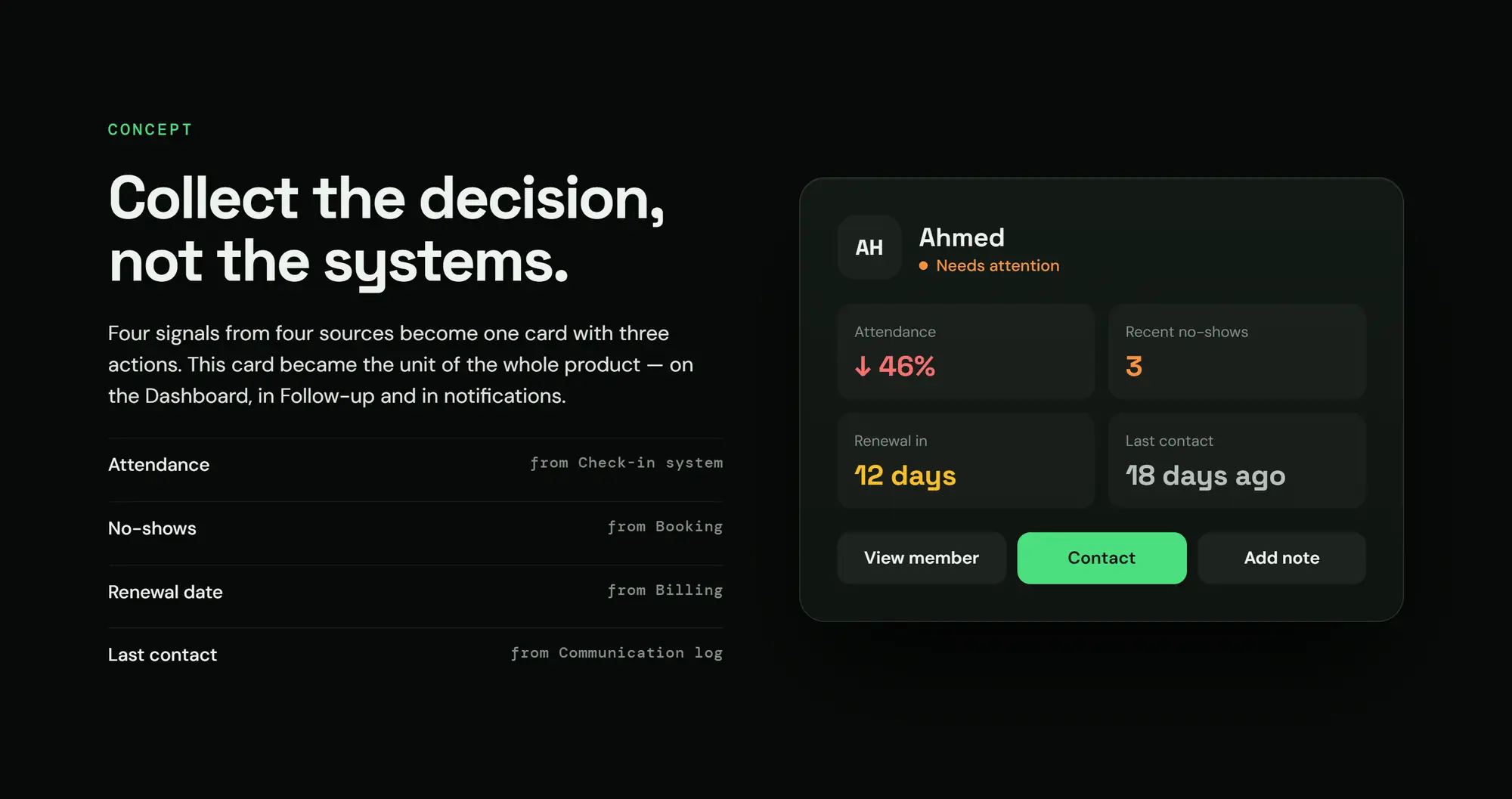
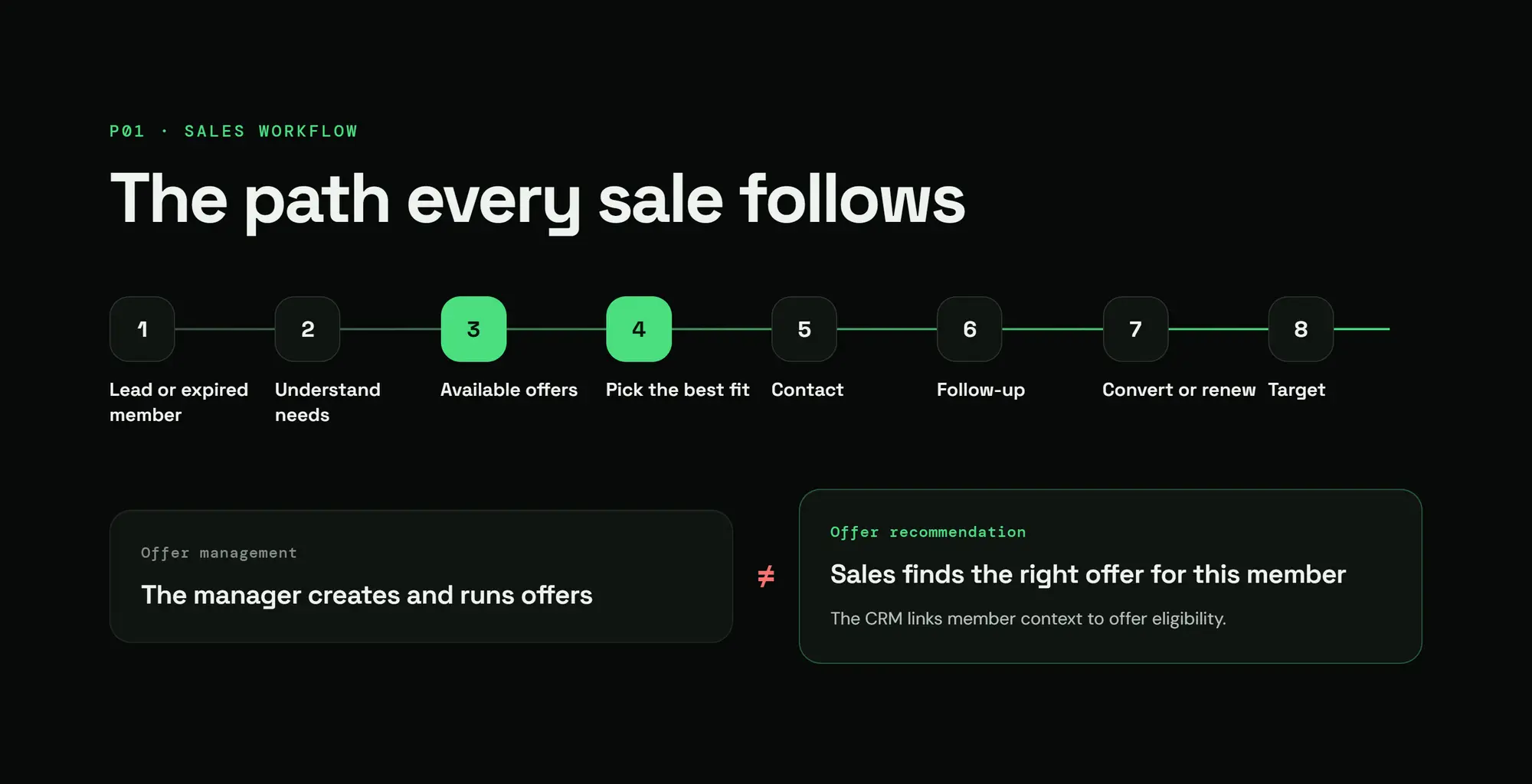
- Booking, attendance, InBody and mood are no longer modules inside the CRM; they became sources. The CRM's job is to collect the decision that comes out of them.
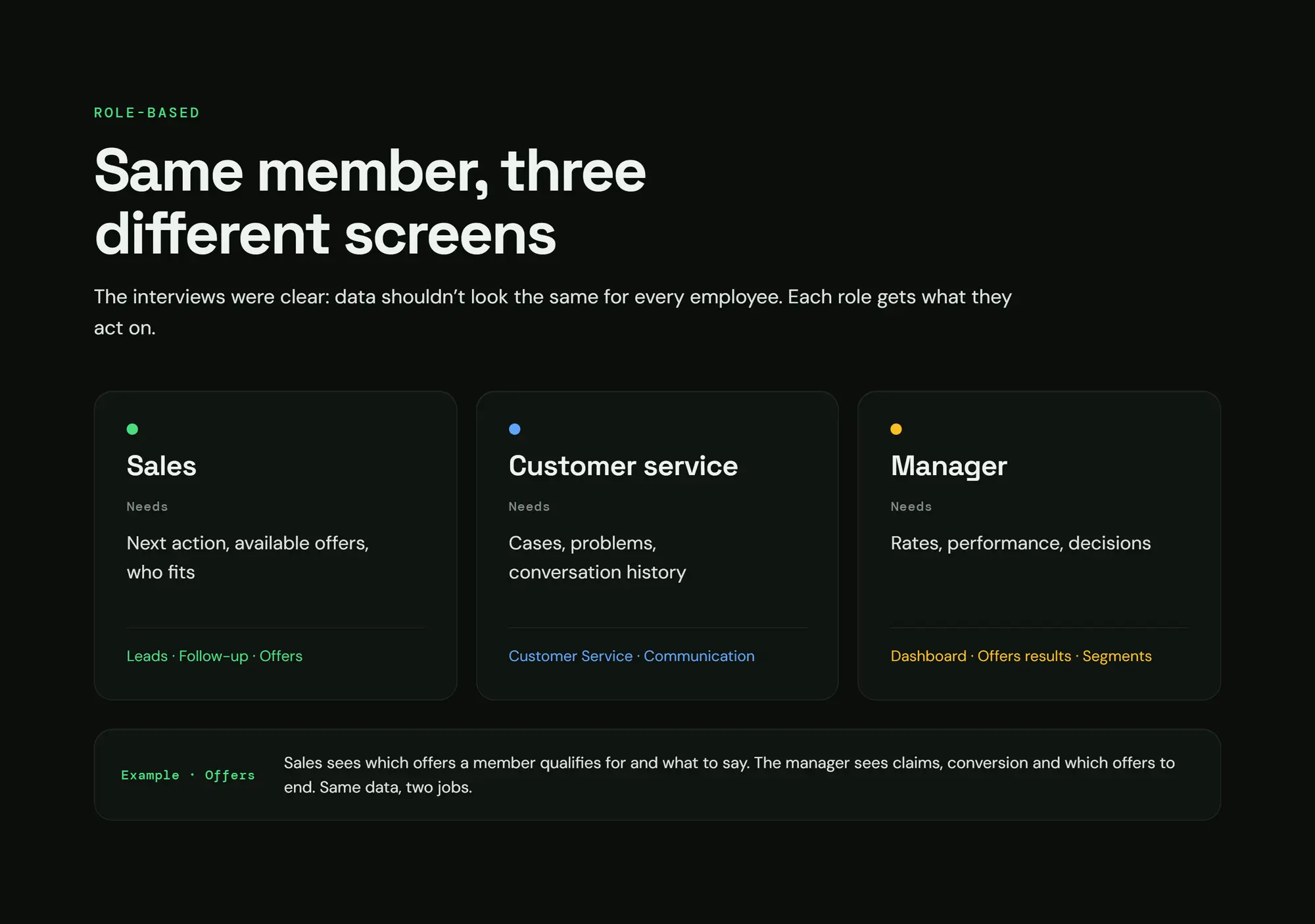
D2: Same member, 3 different screens (role-based)
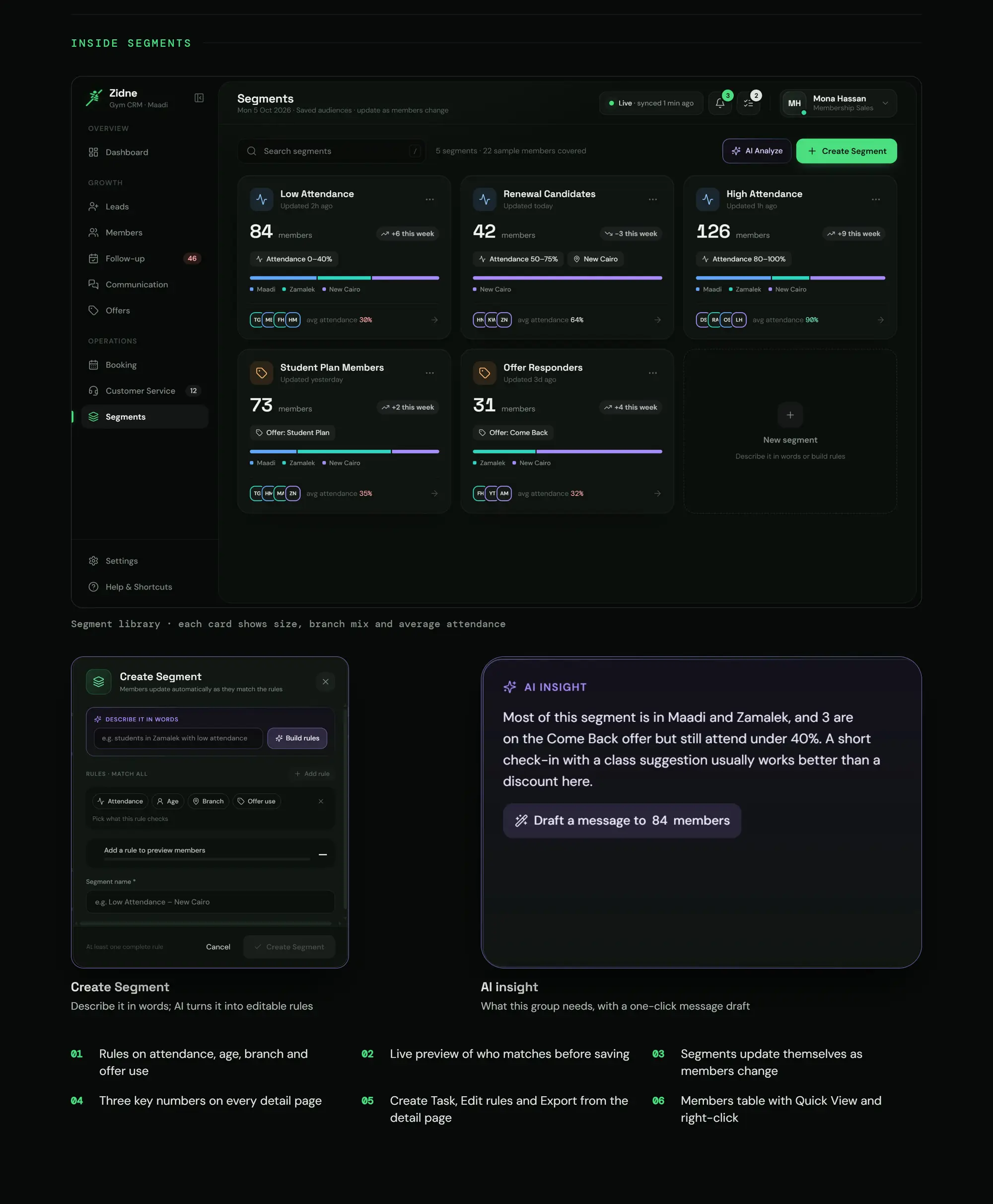
- Sales sees the right offers and the next step. Customer service sees complaints and history. The manager sees the numbers and the decisions.
- This was one of the 10 assumptions I rejected: "one dashboard for everyone is better".
The design rule that tied it together
- Q1Why is the staff member here?
- Q2What do they see first?
- Q3What do they decide?
- Q4What do they do next?
Otherwise it goes.
Collect the decision, not the systems.
The interviews said: same data, two different jobs.
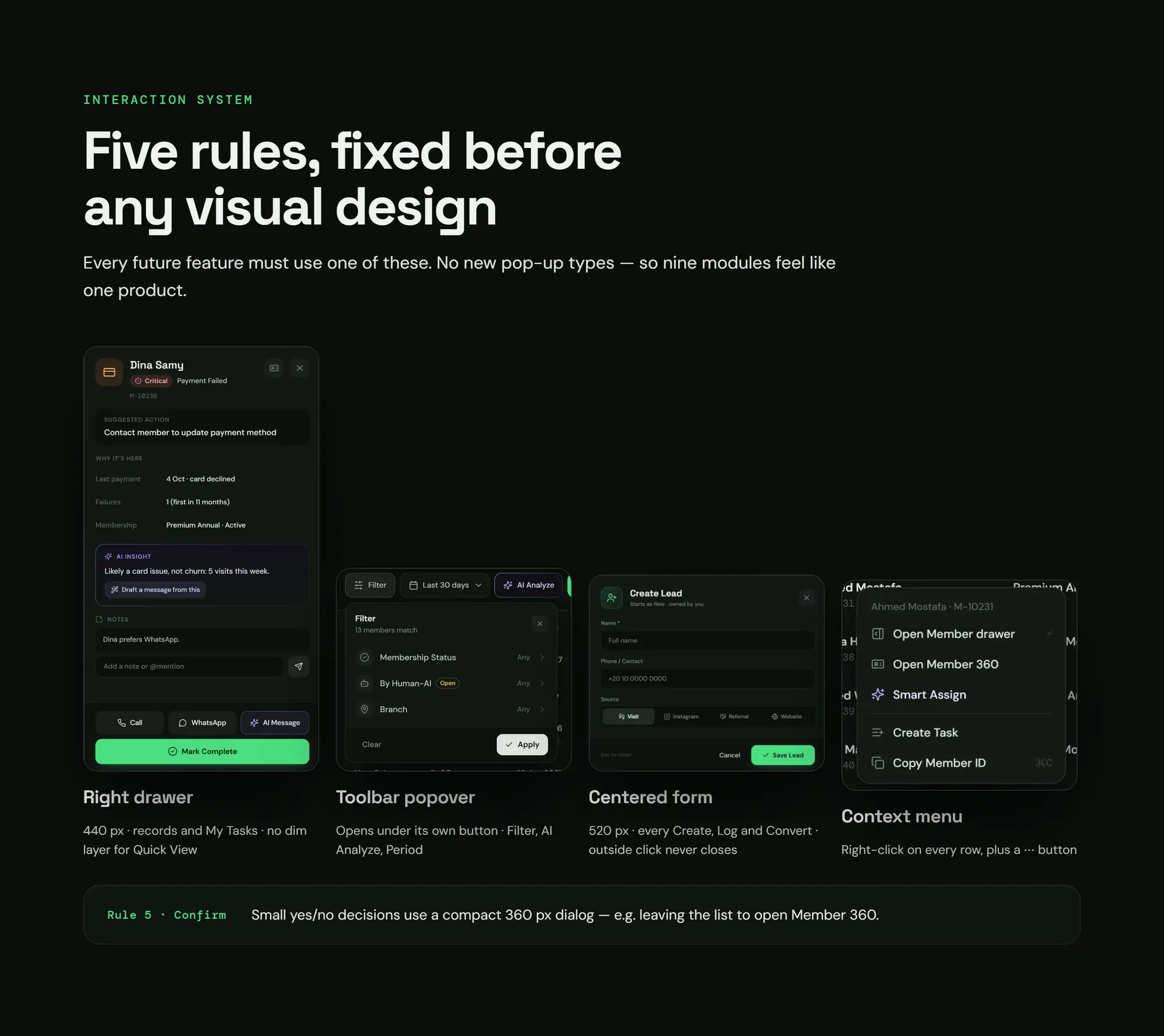
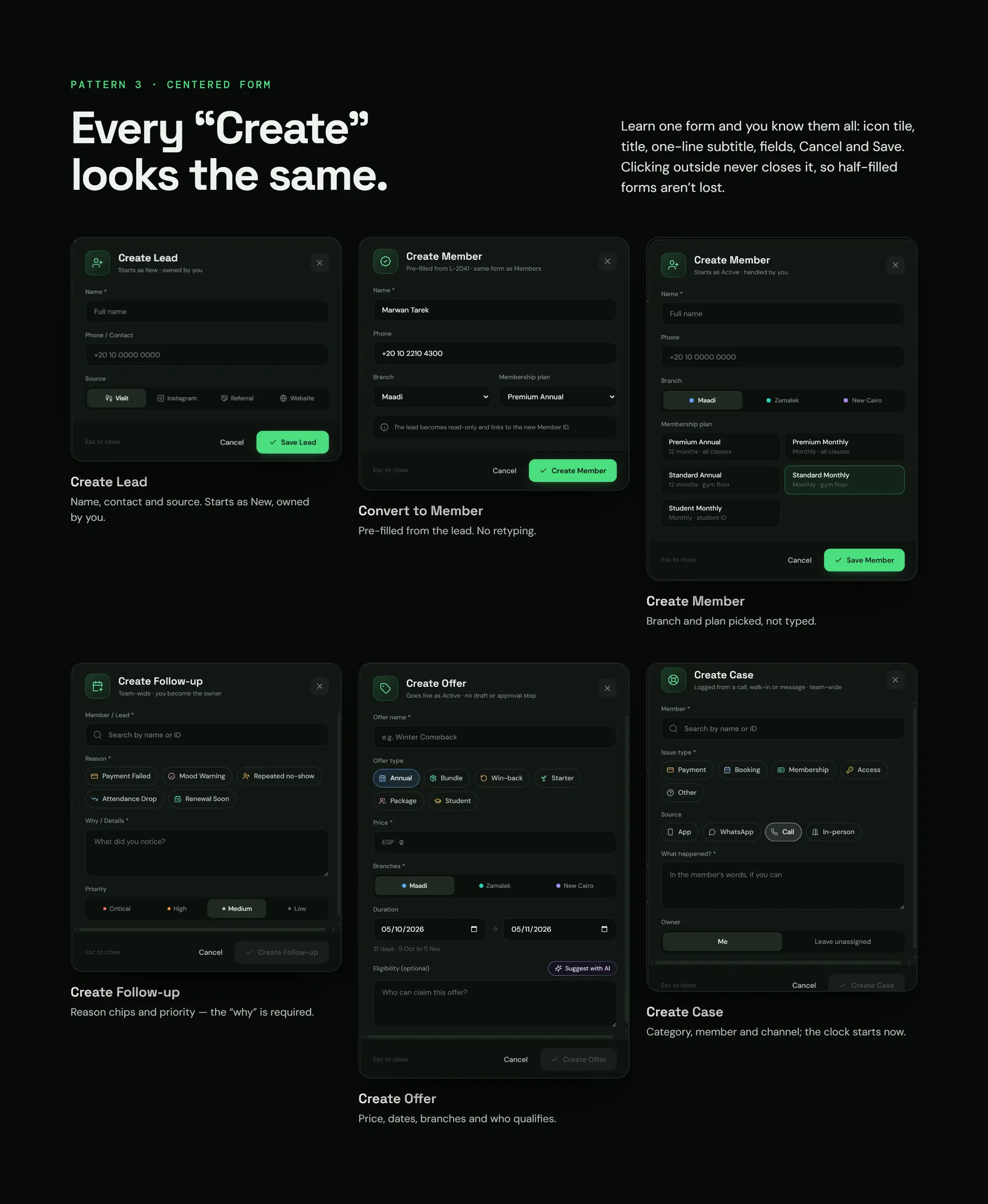
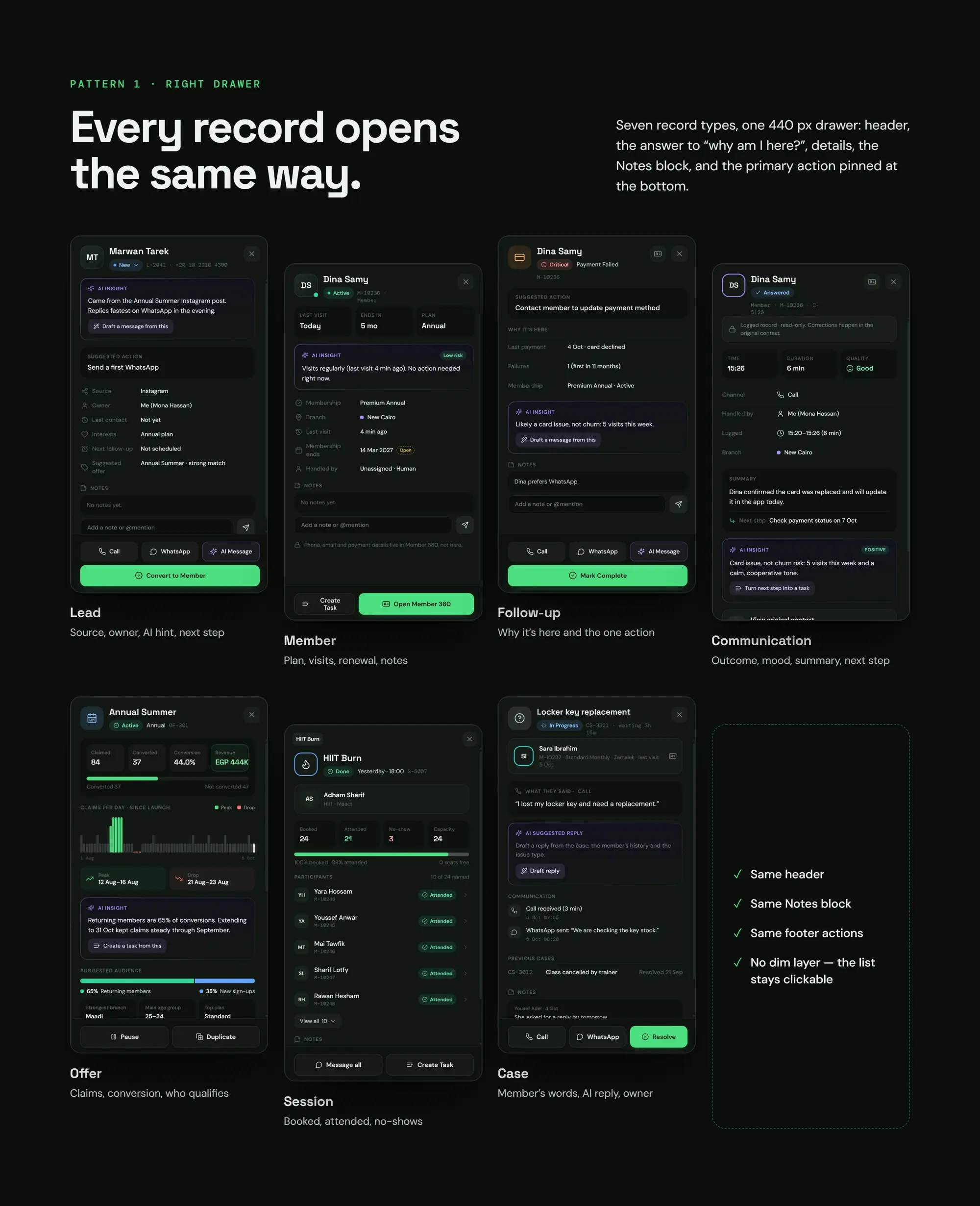
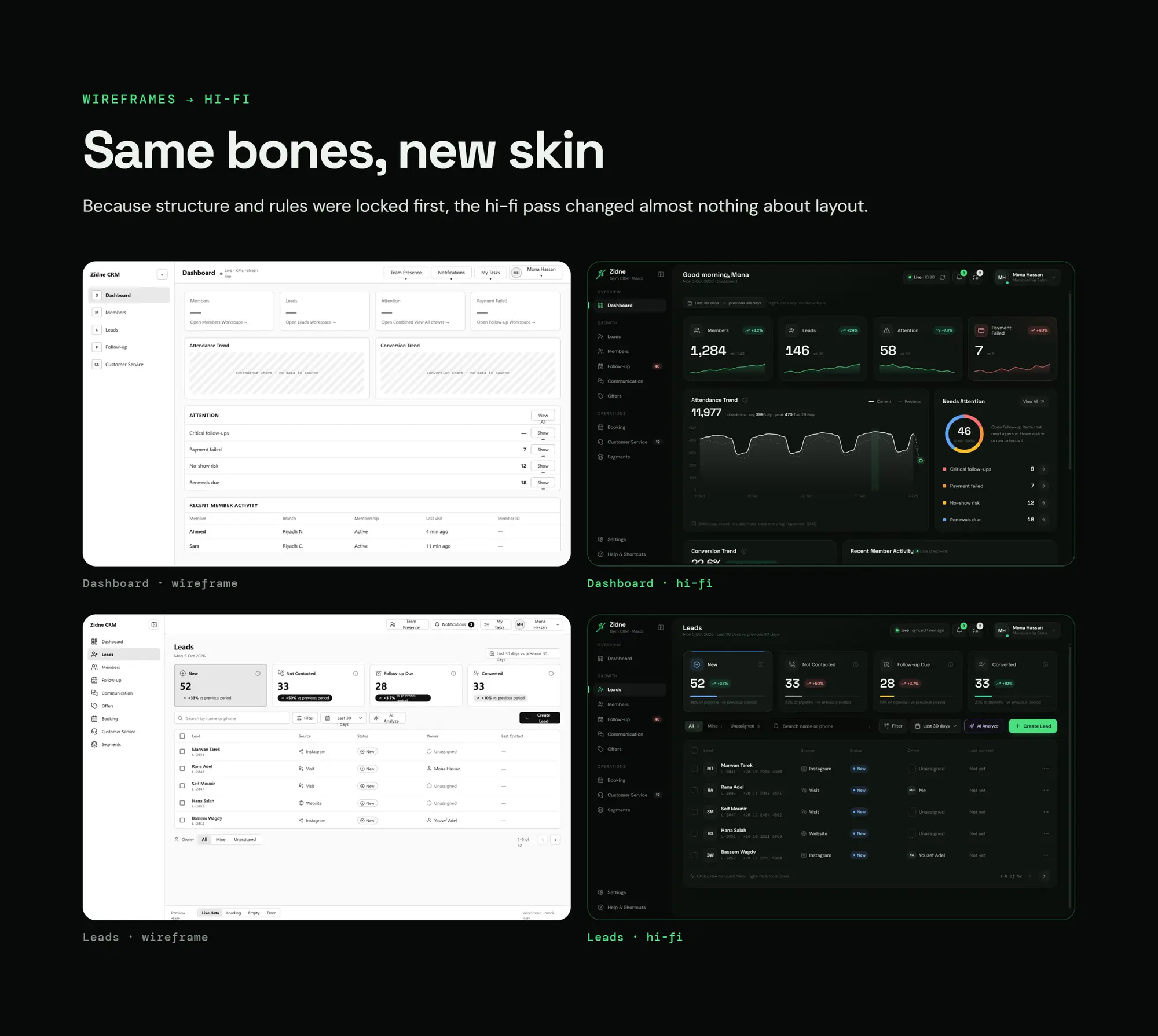
A day at the gym
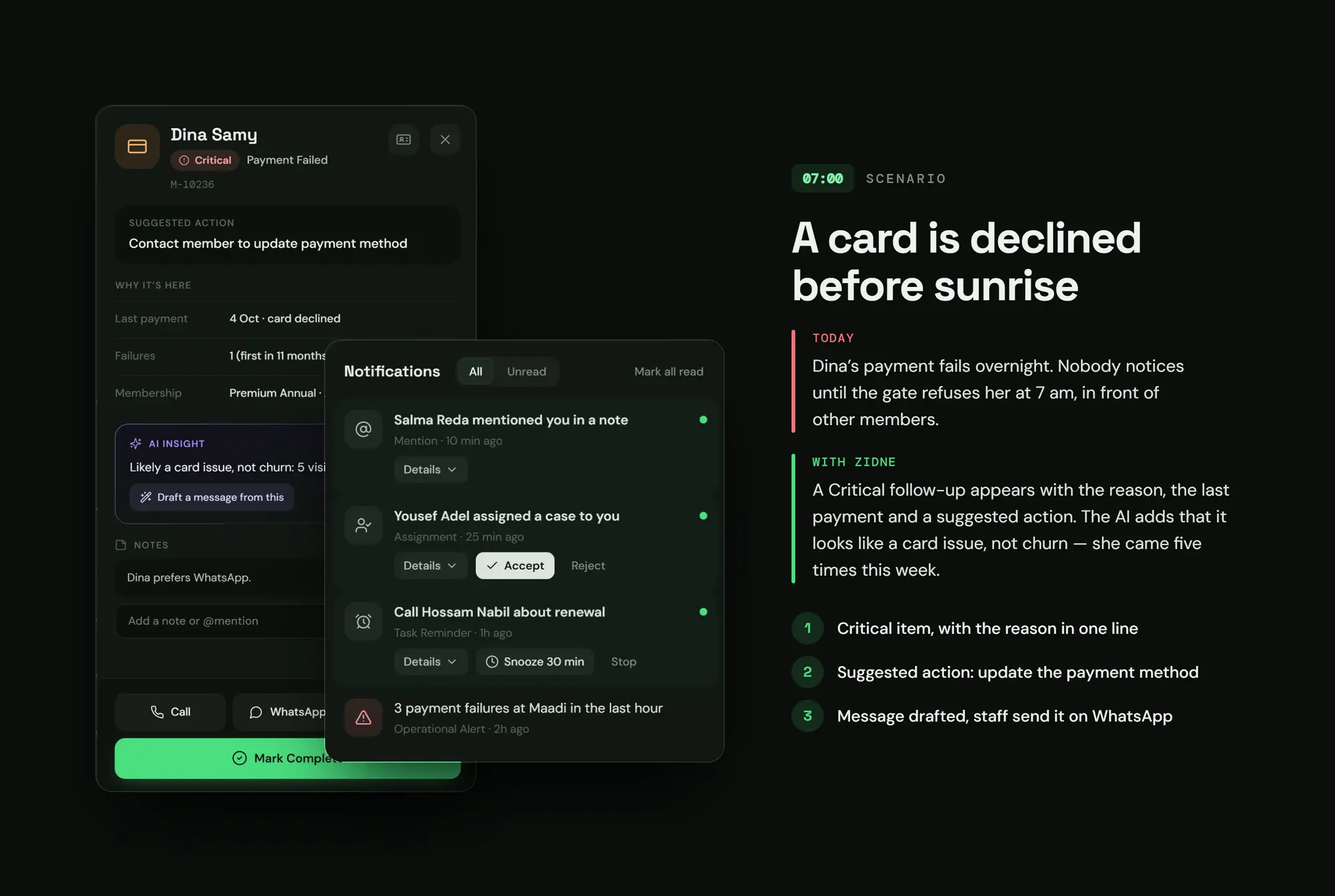
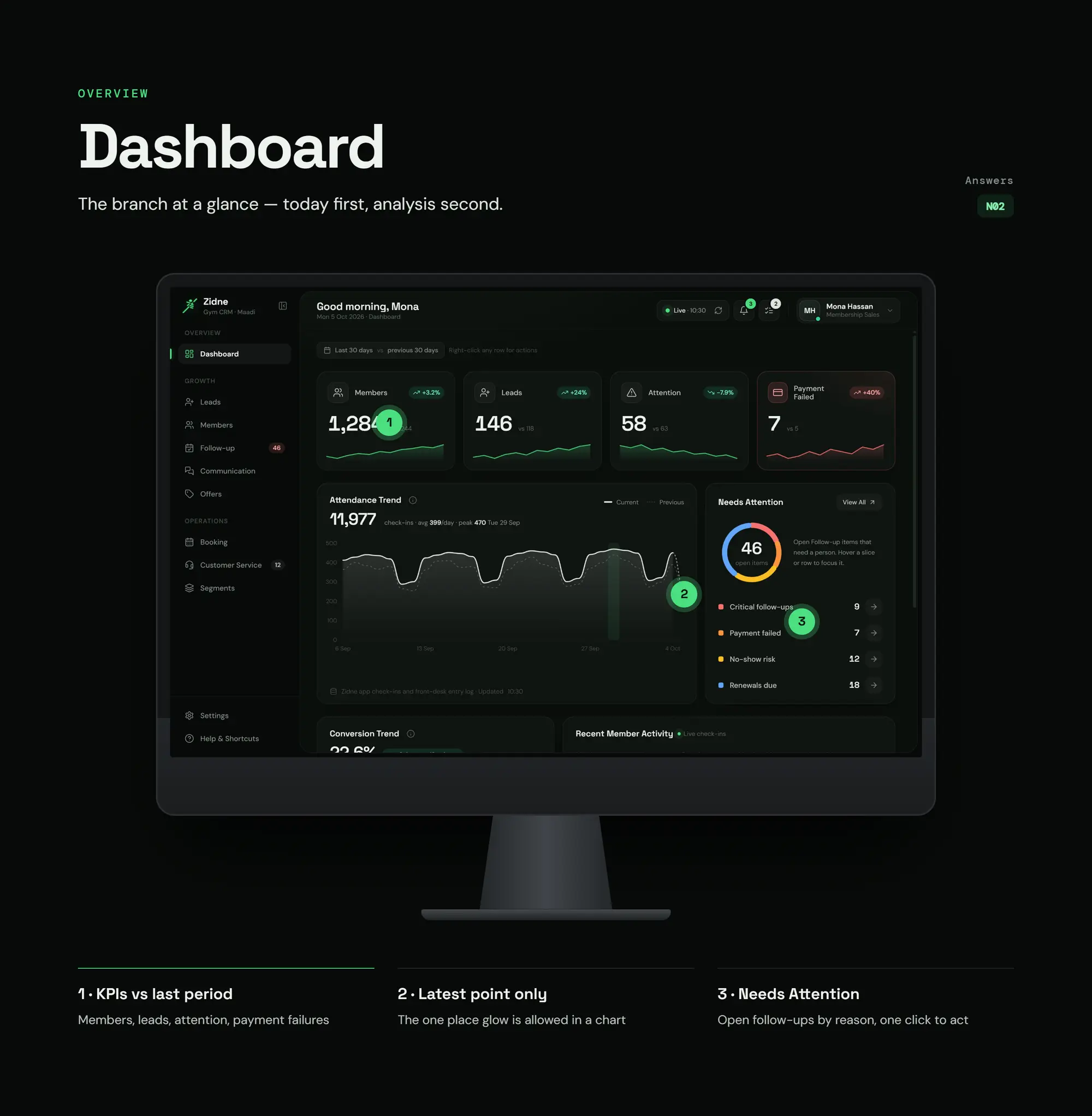
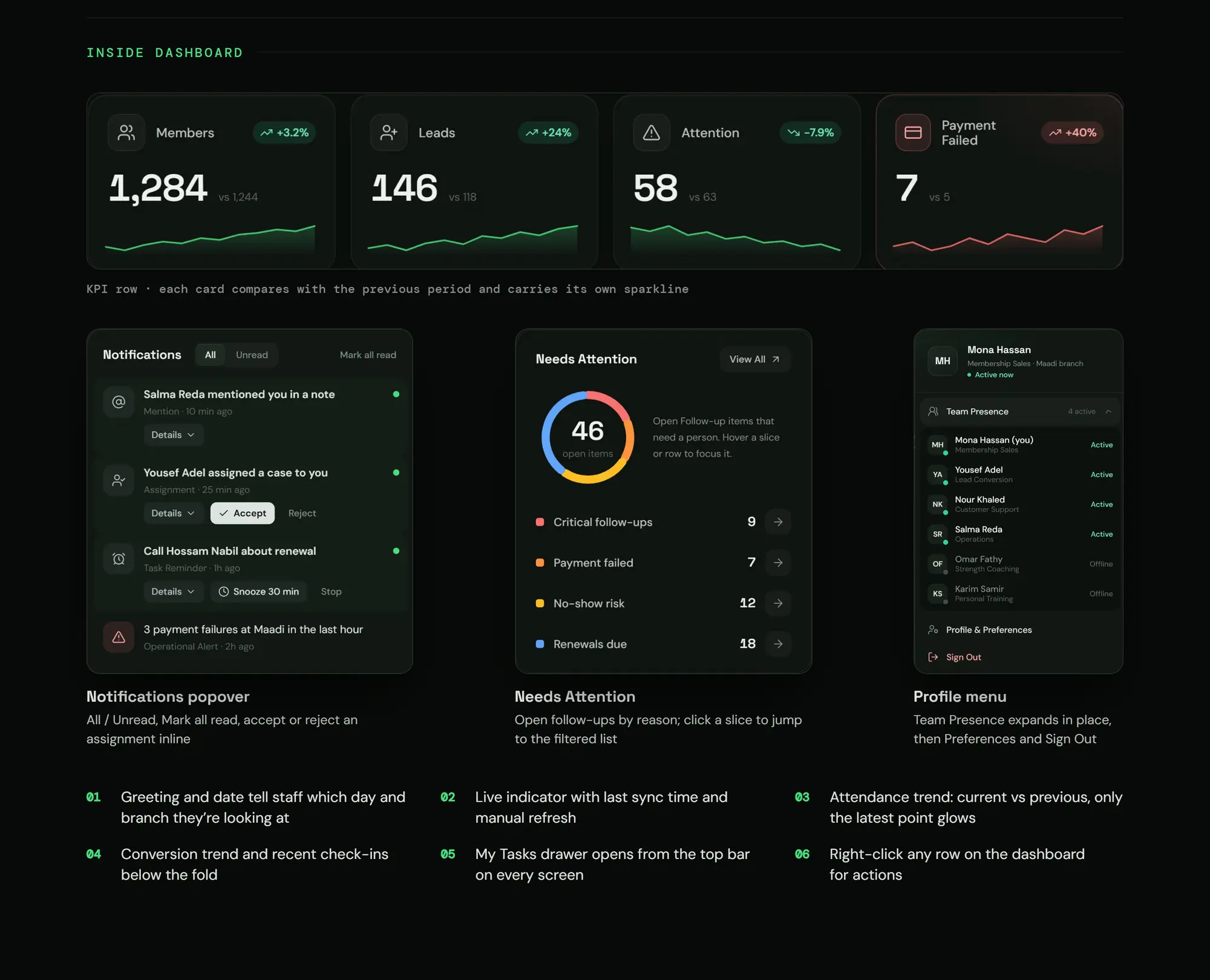
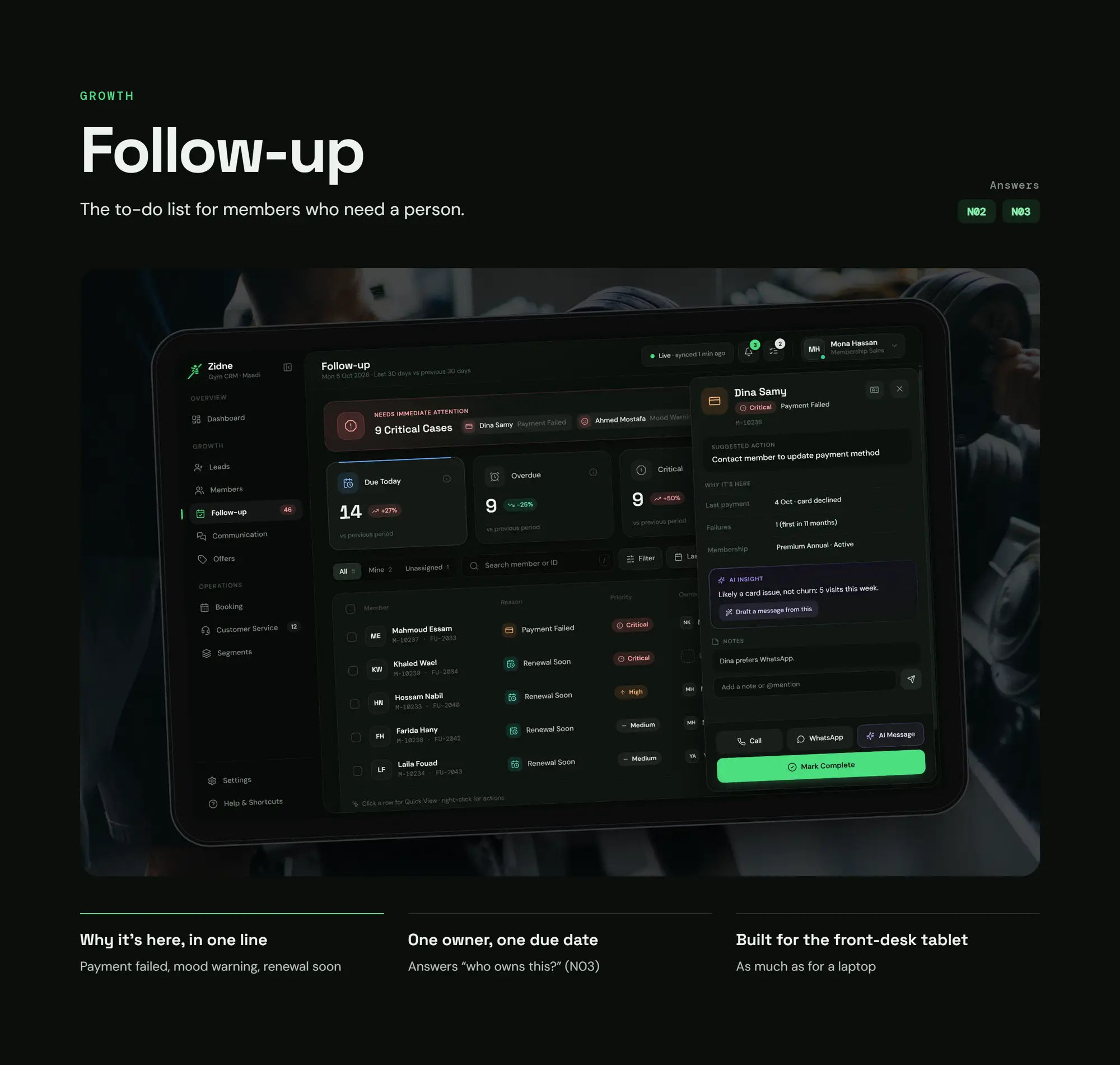
07:00 · The problem today
A member's card was declined overnight, and nobody knew
With Zidne
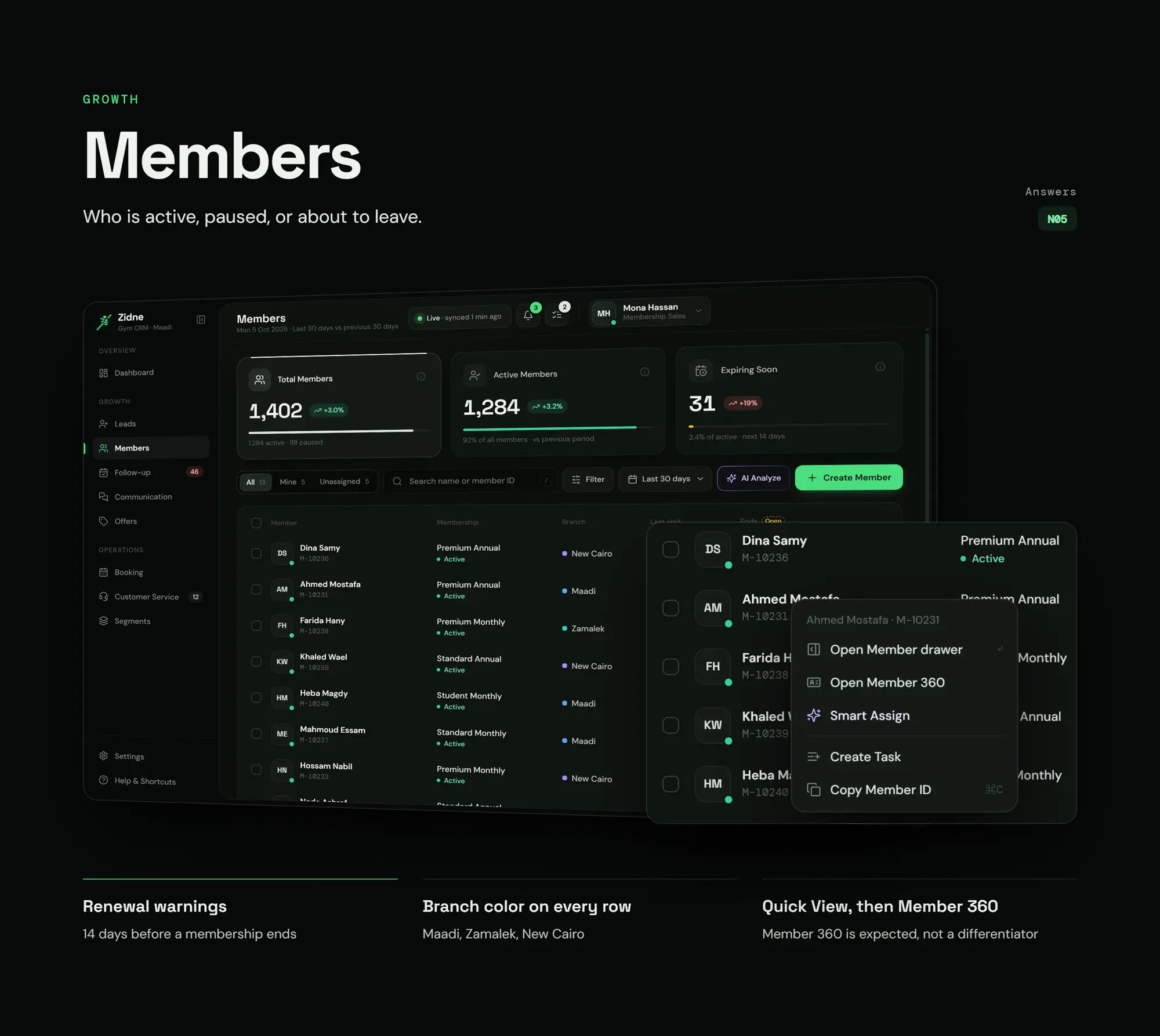
A Critical alert with the reason and a suggested fix
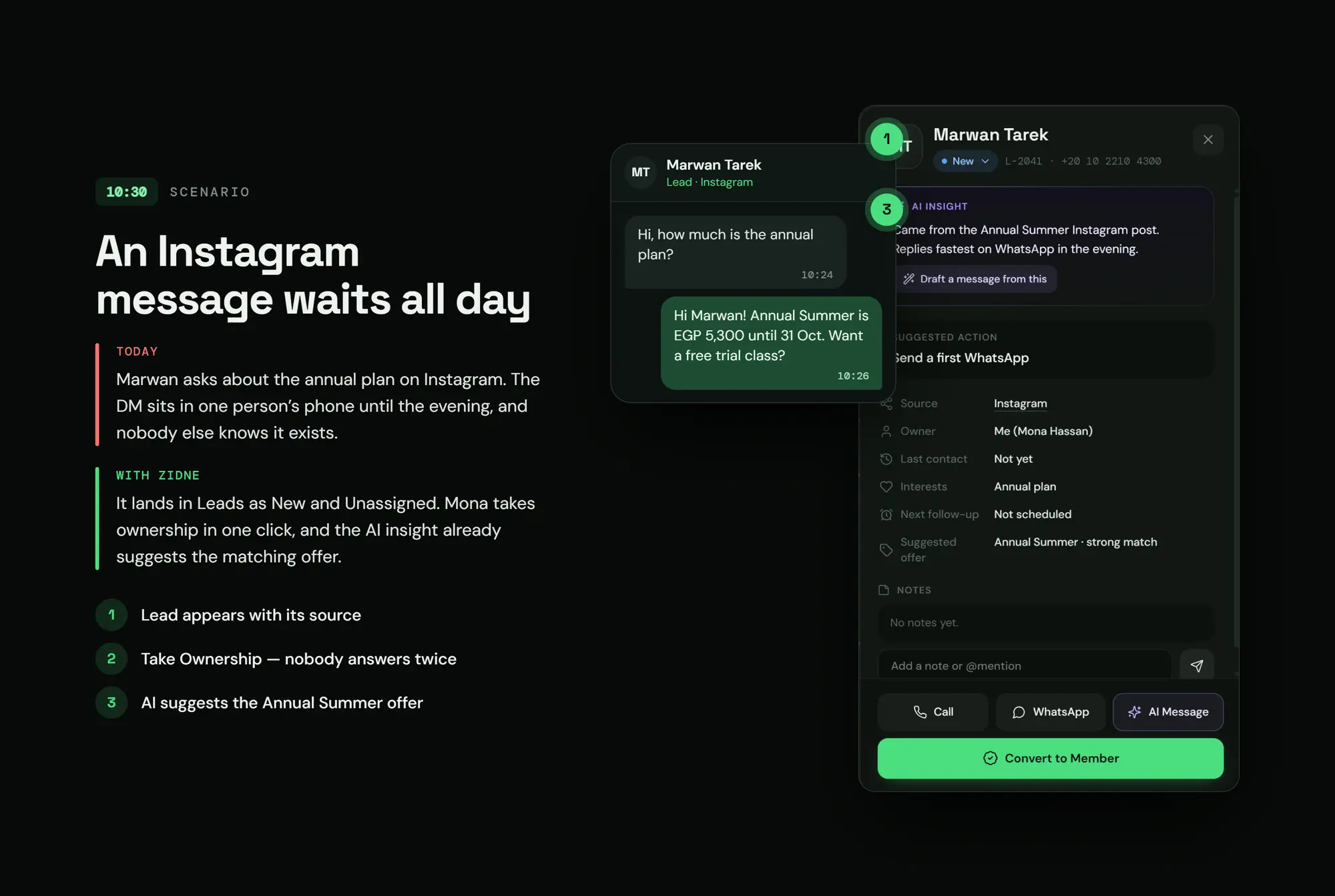
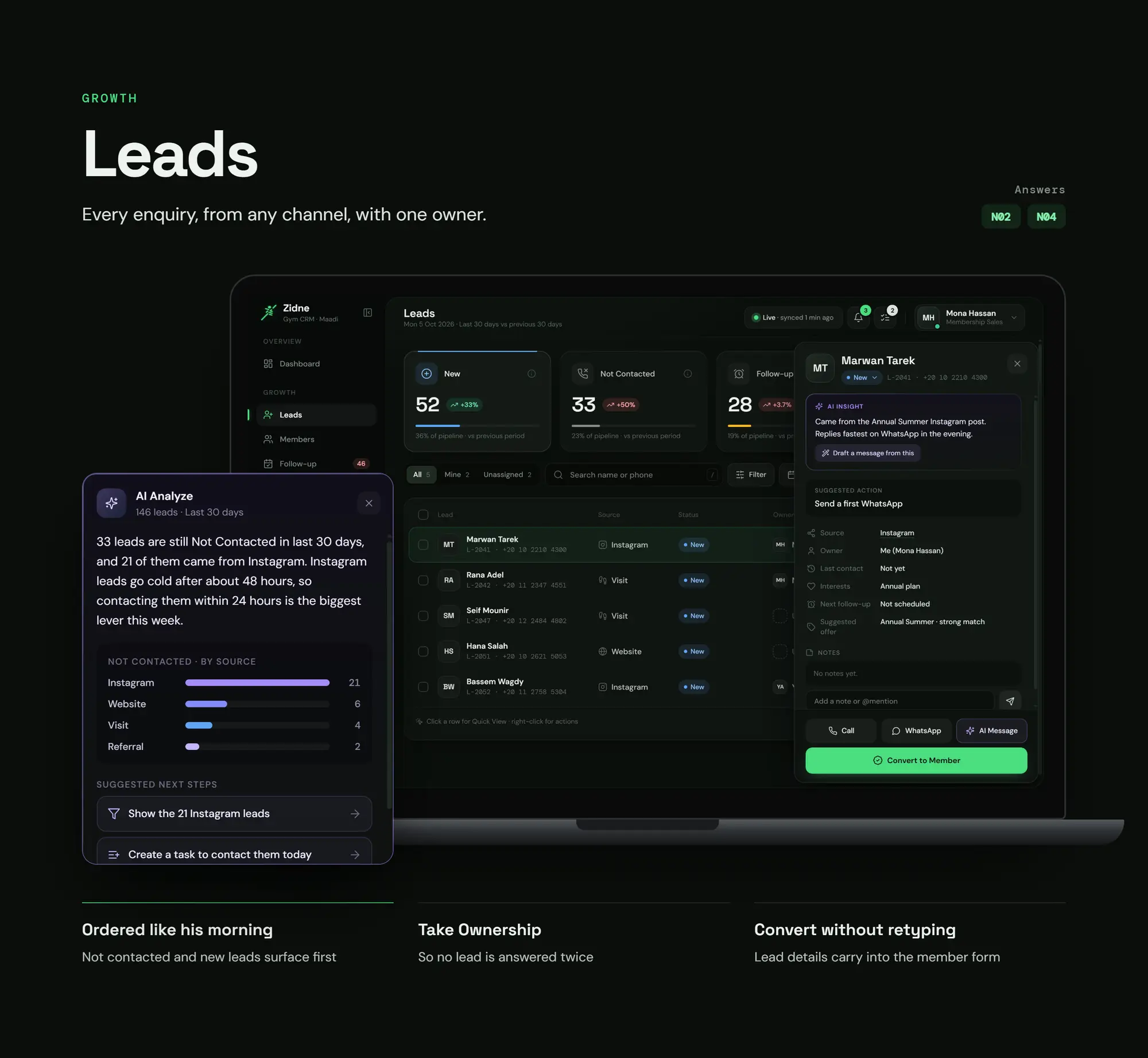
10:30 · The problem today
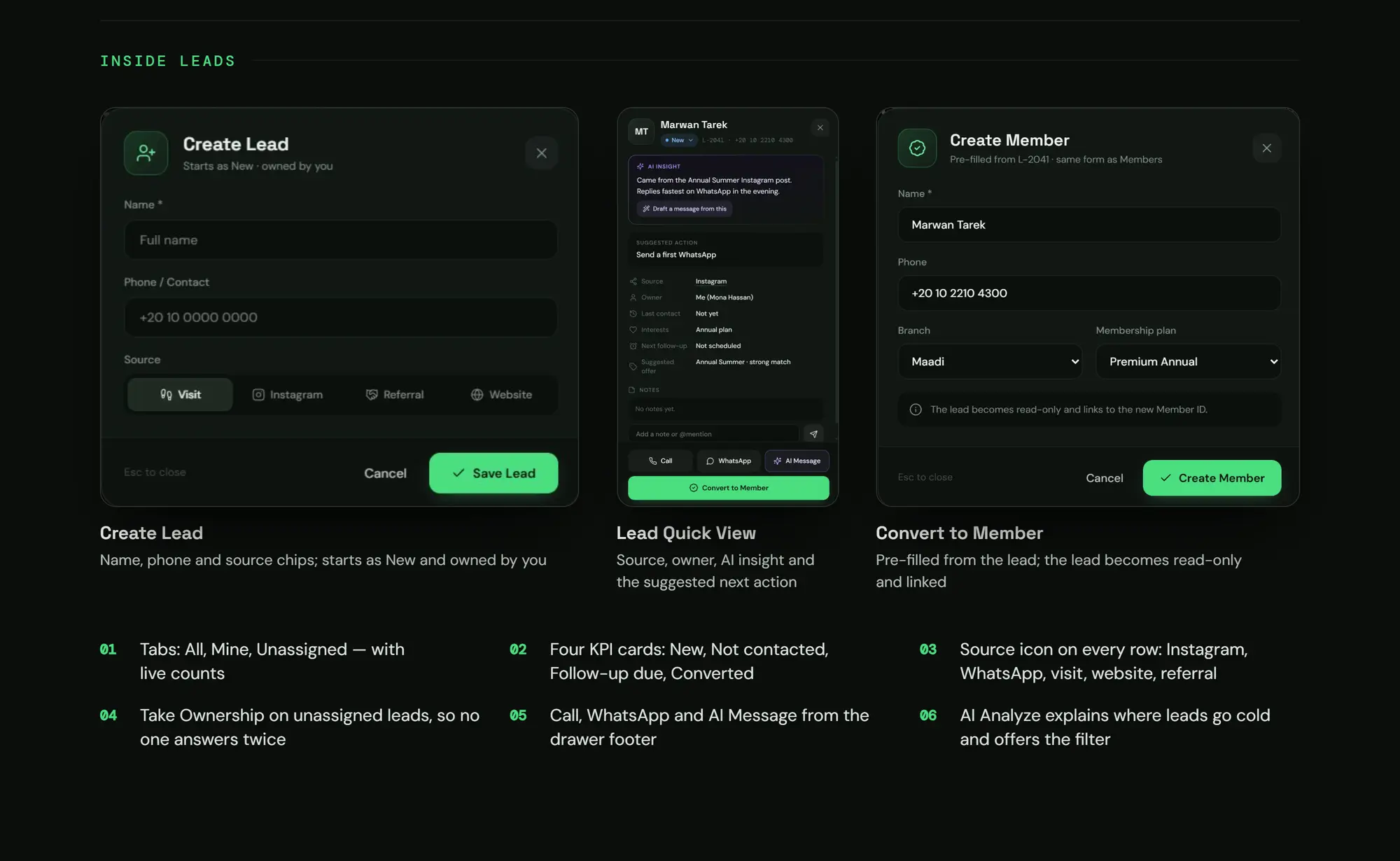
An Instagram message left waiting all day
With Zidne
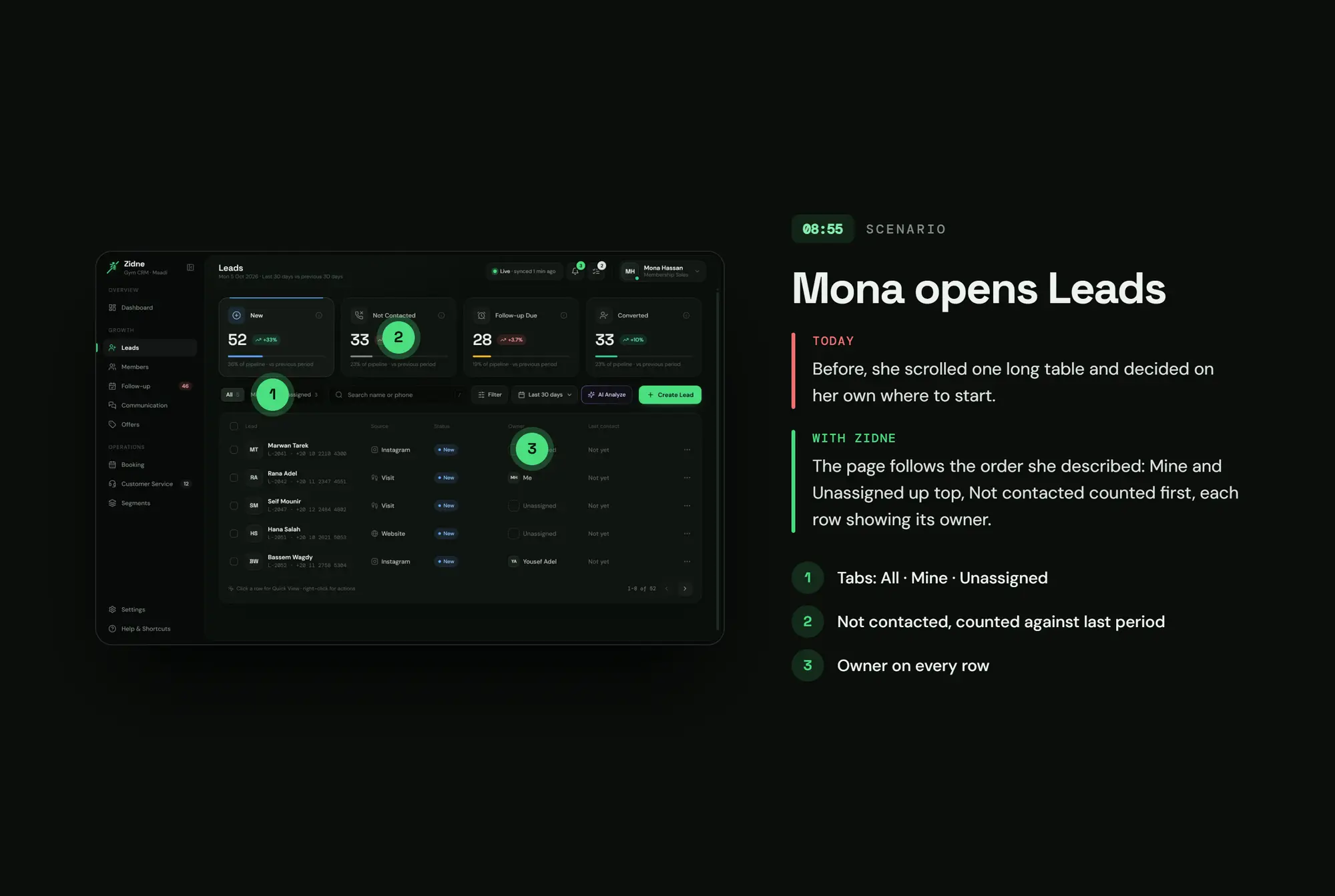
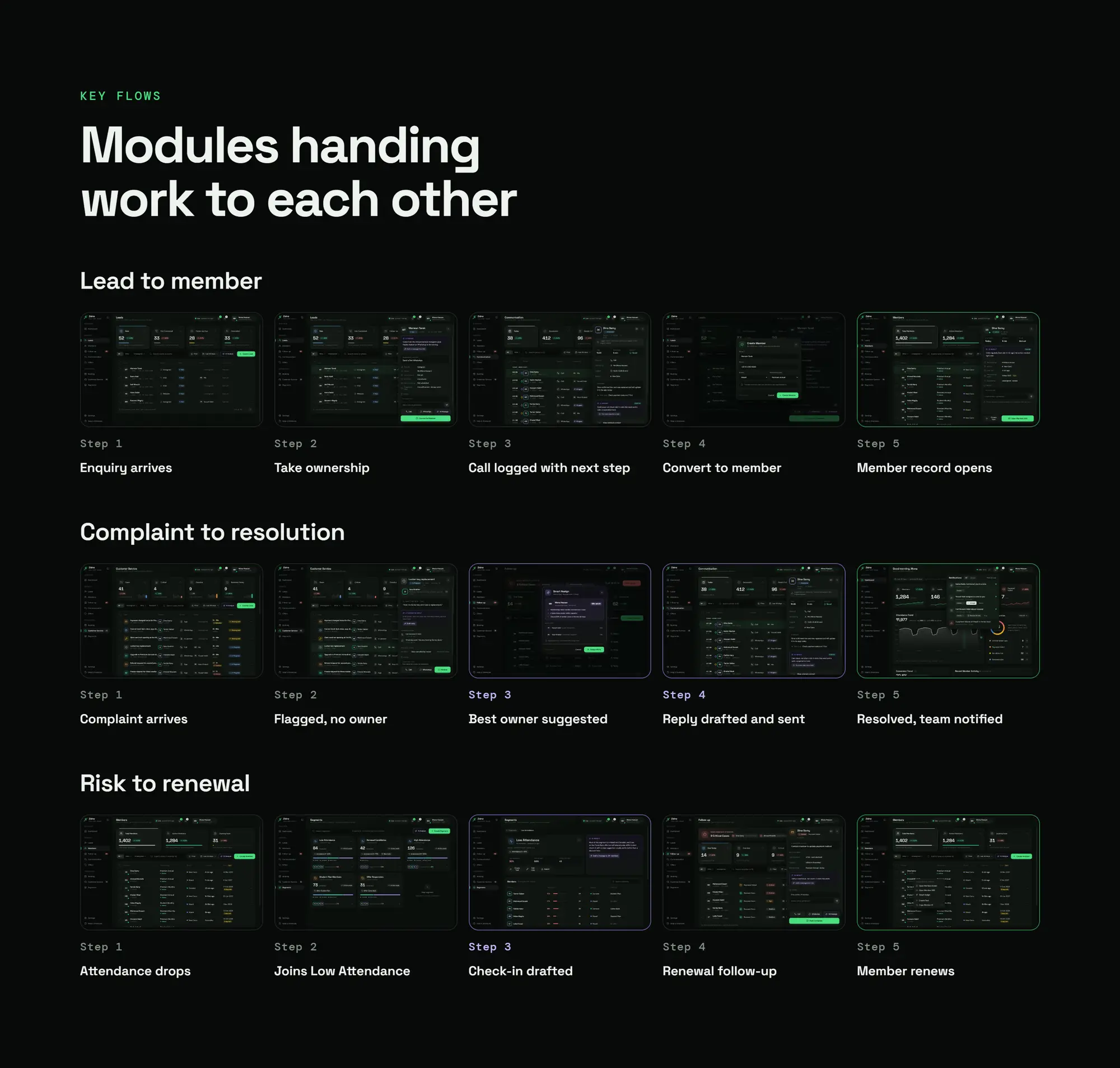
The lead shows up with its source, gets an owner in one tap, and AI suggests the offer
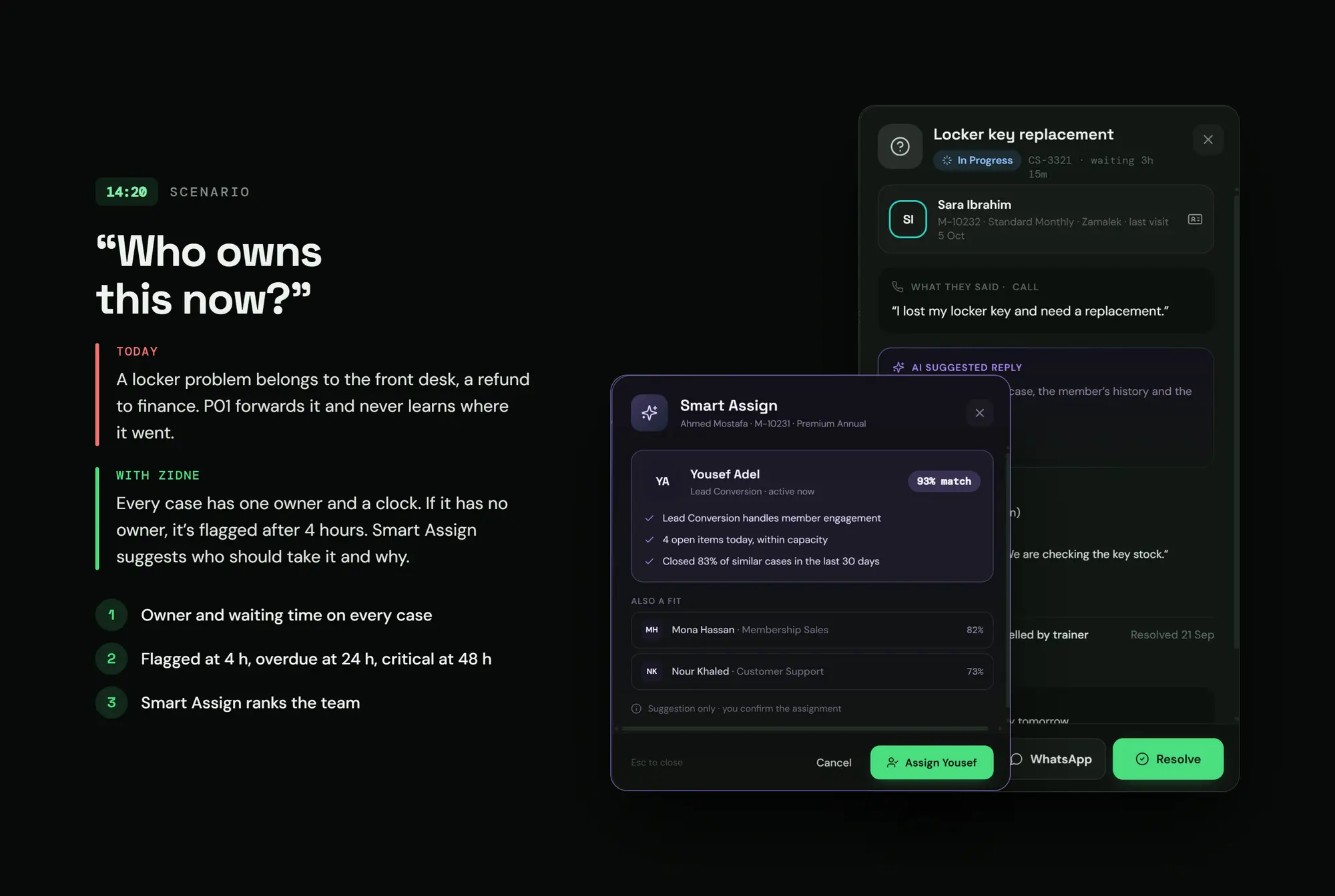
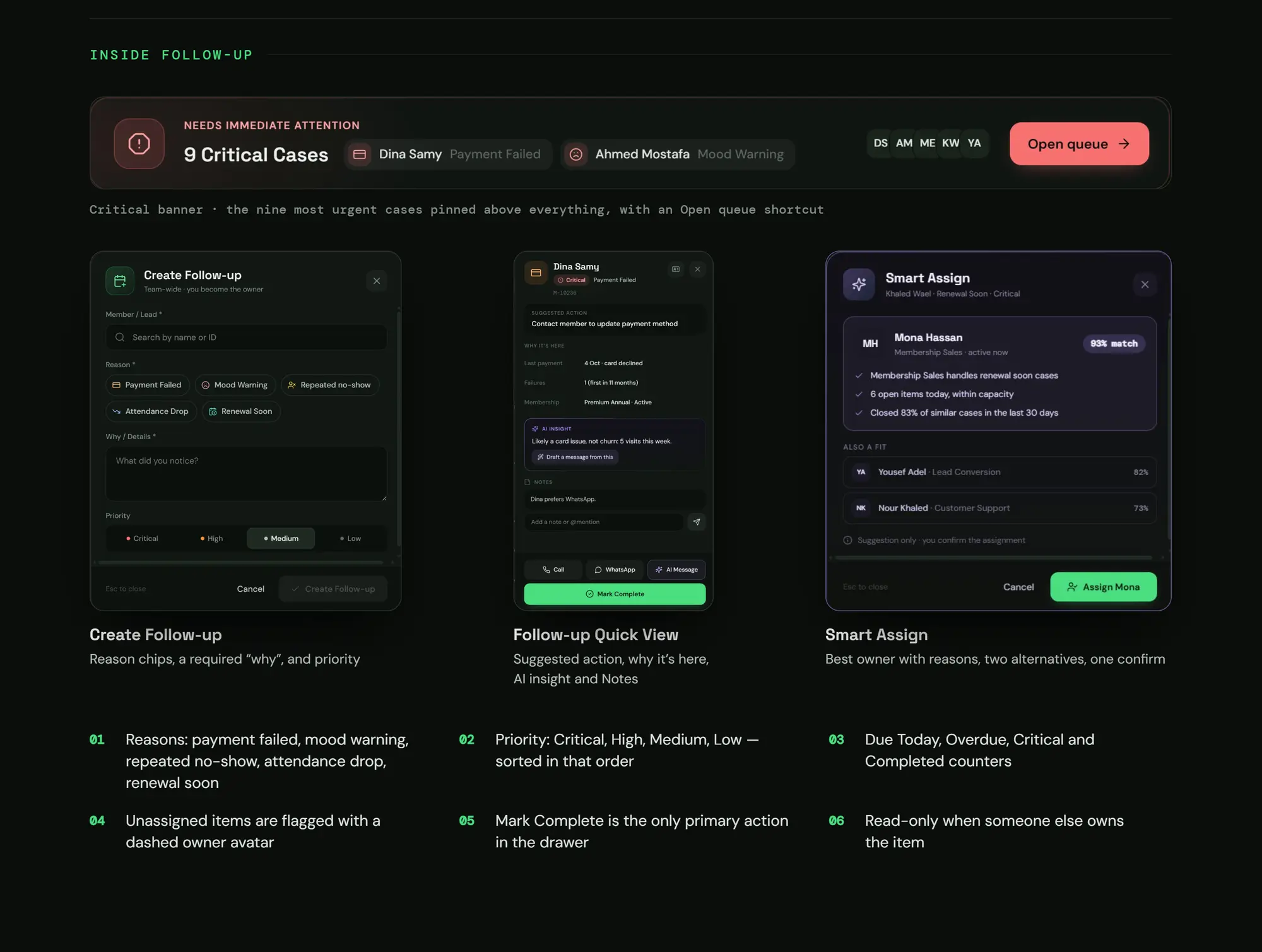
14:20 · The problem today
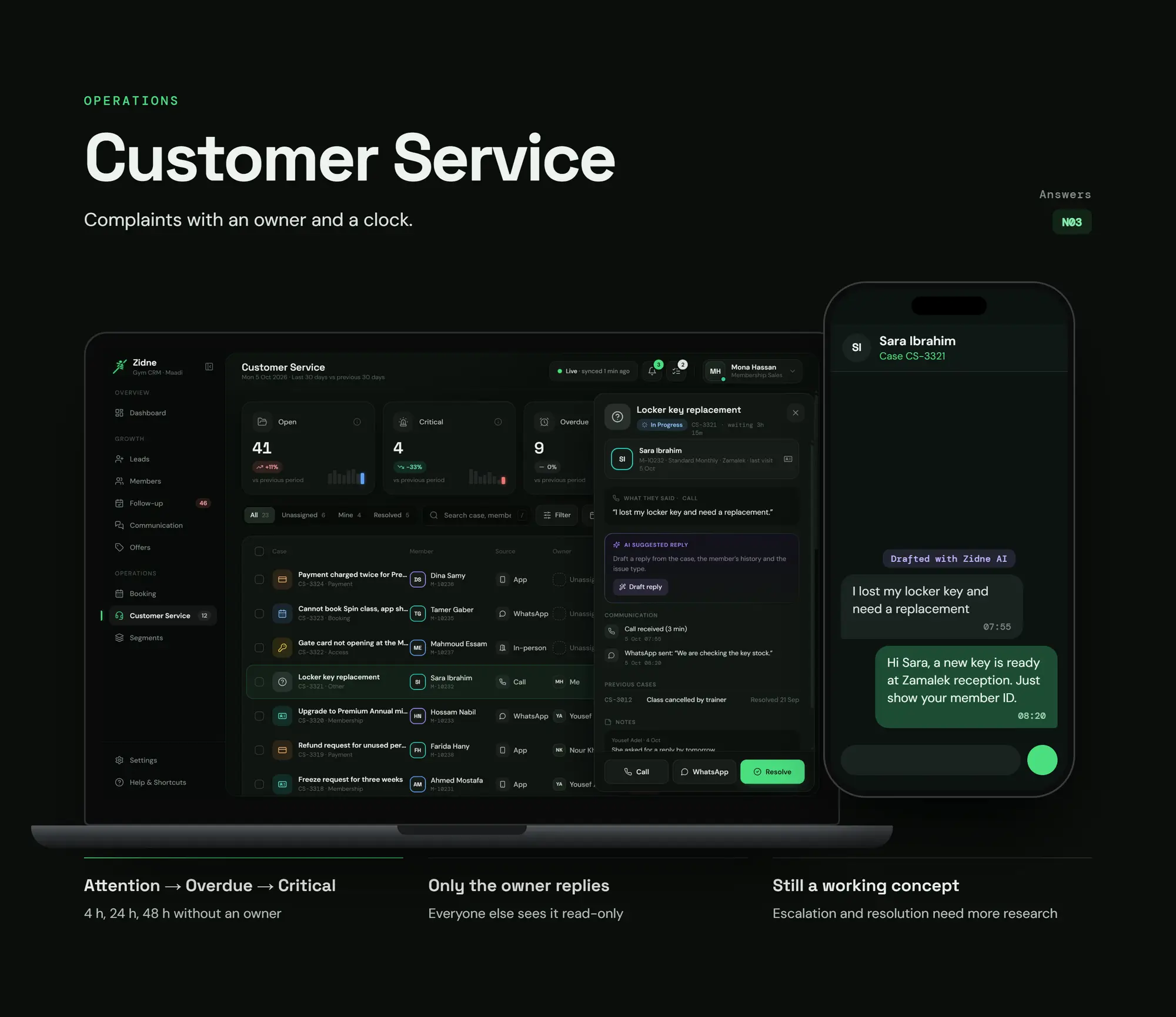
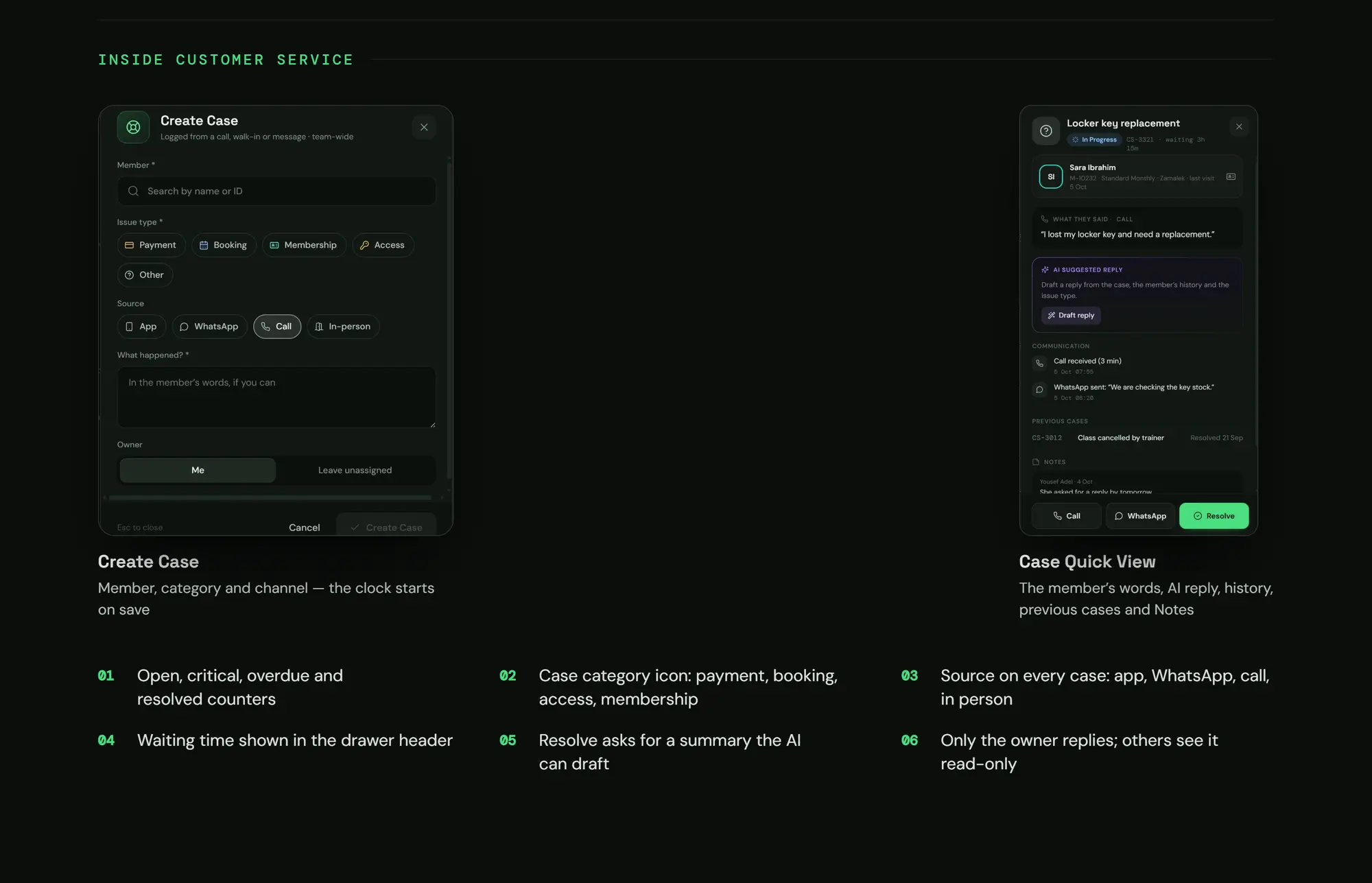
An issue nobody owns
With Zidne
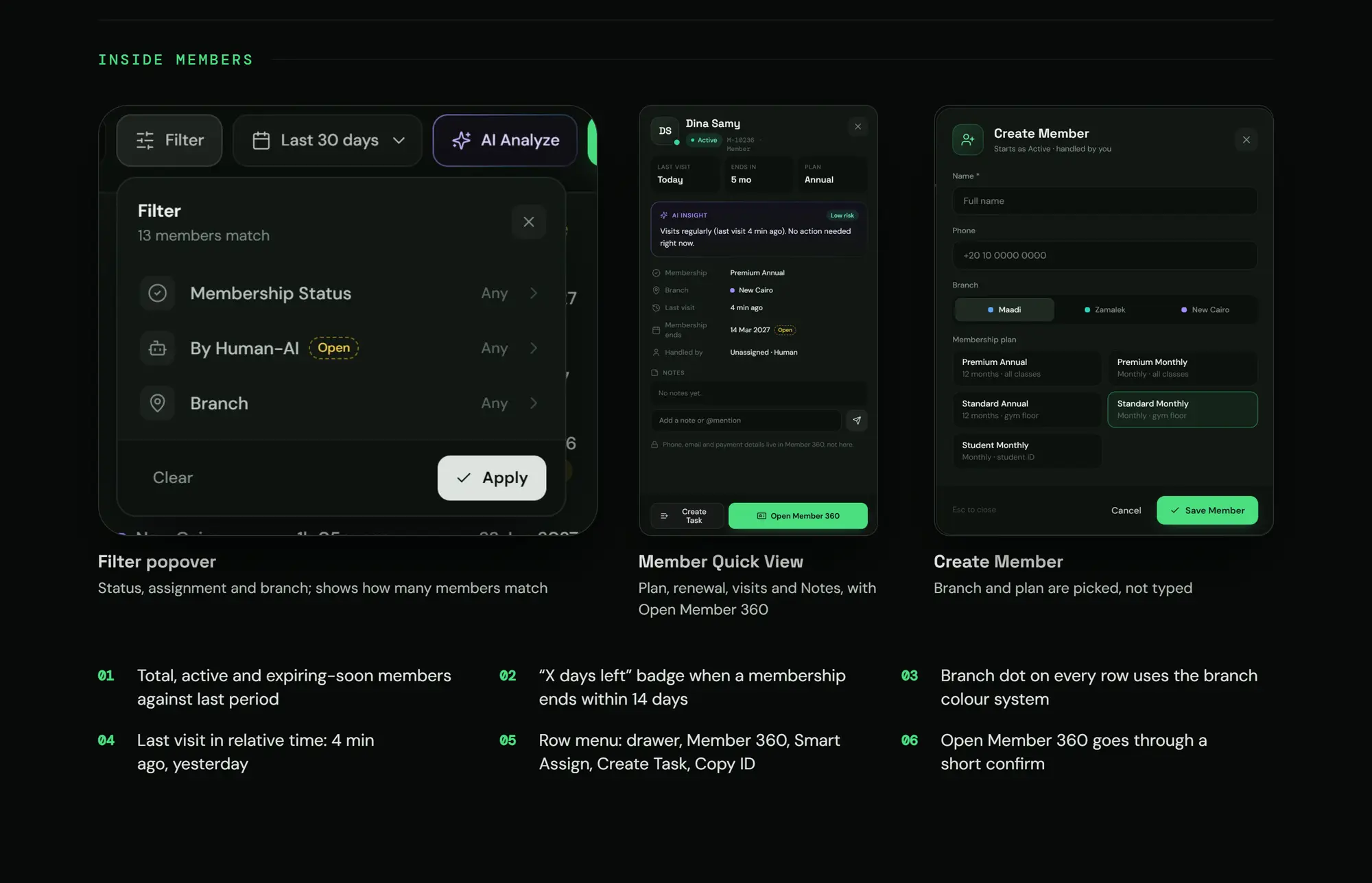
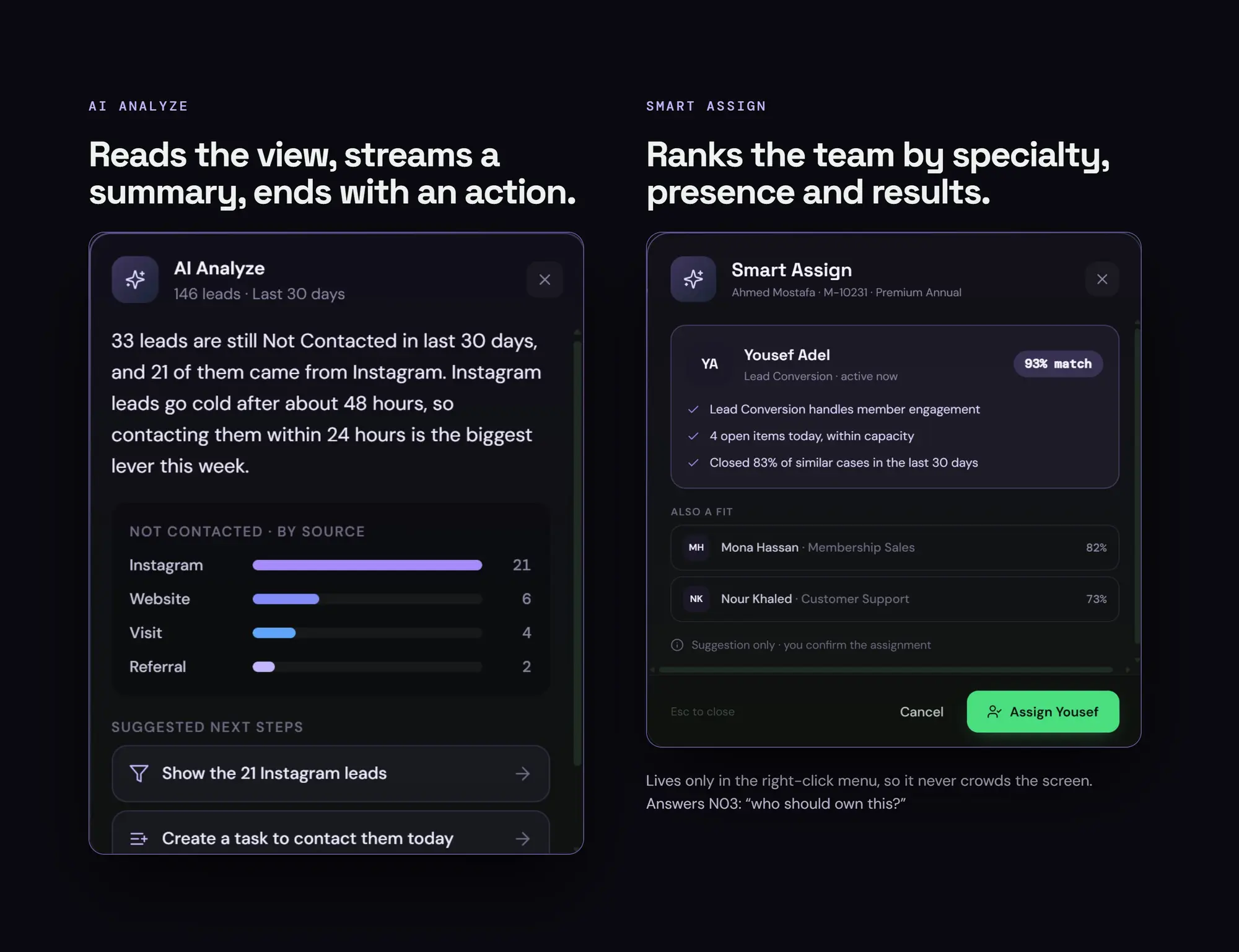
Every case has an owner and a time, and Smart Assign suggests the best fit
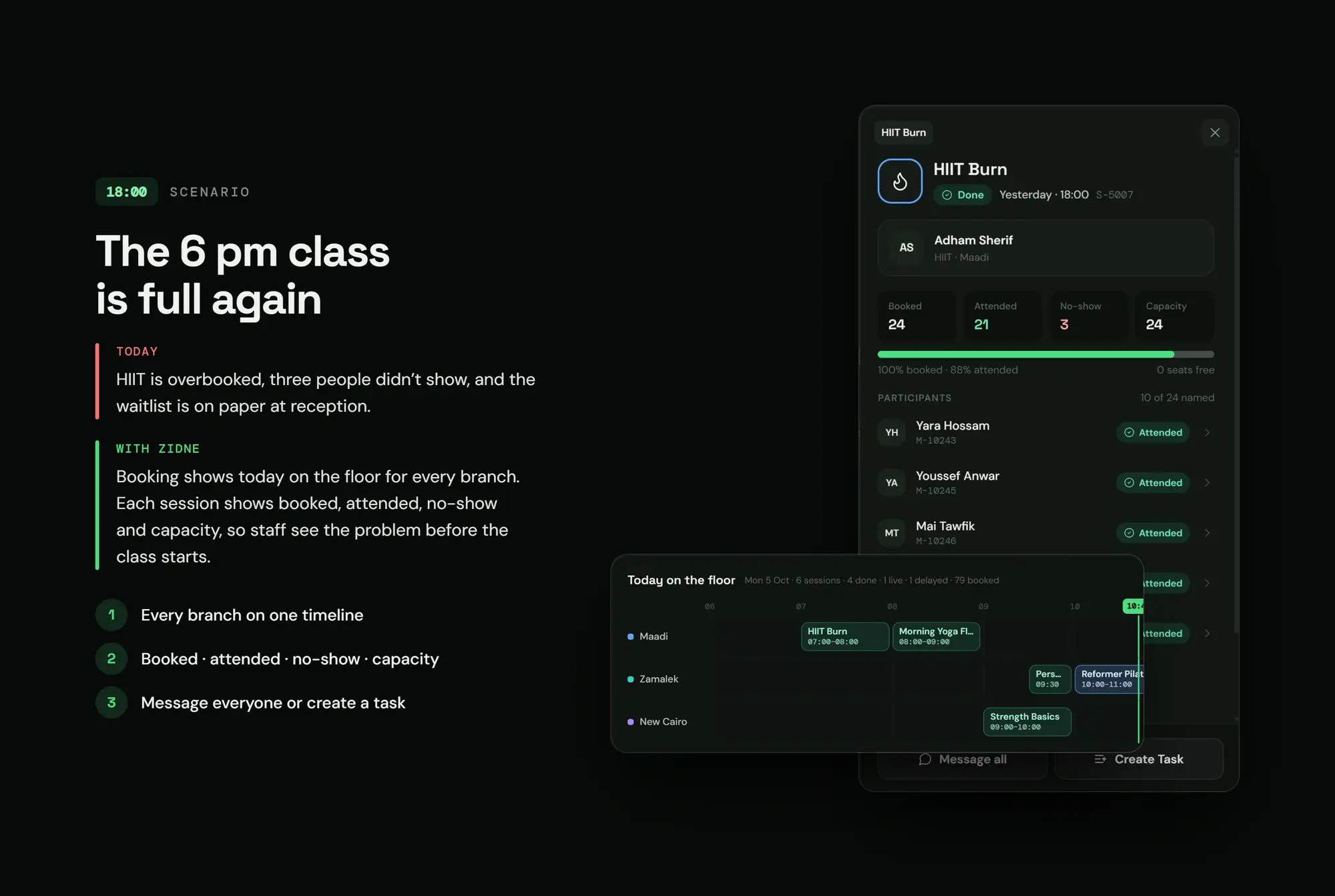
18:00 · The problem today
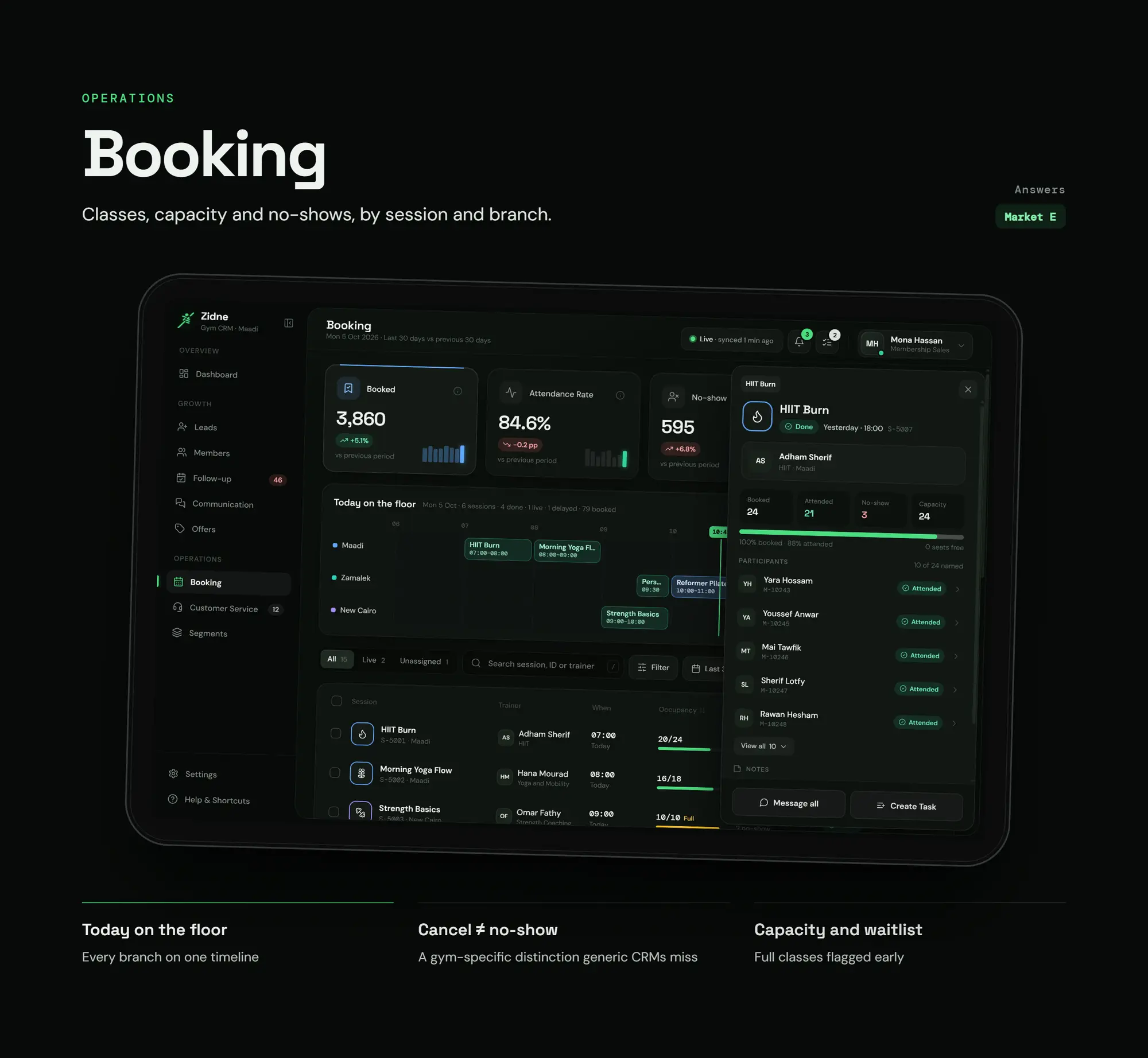
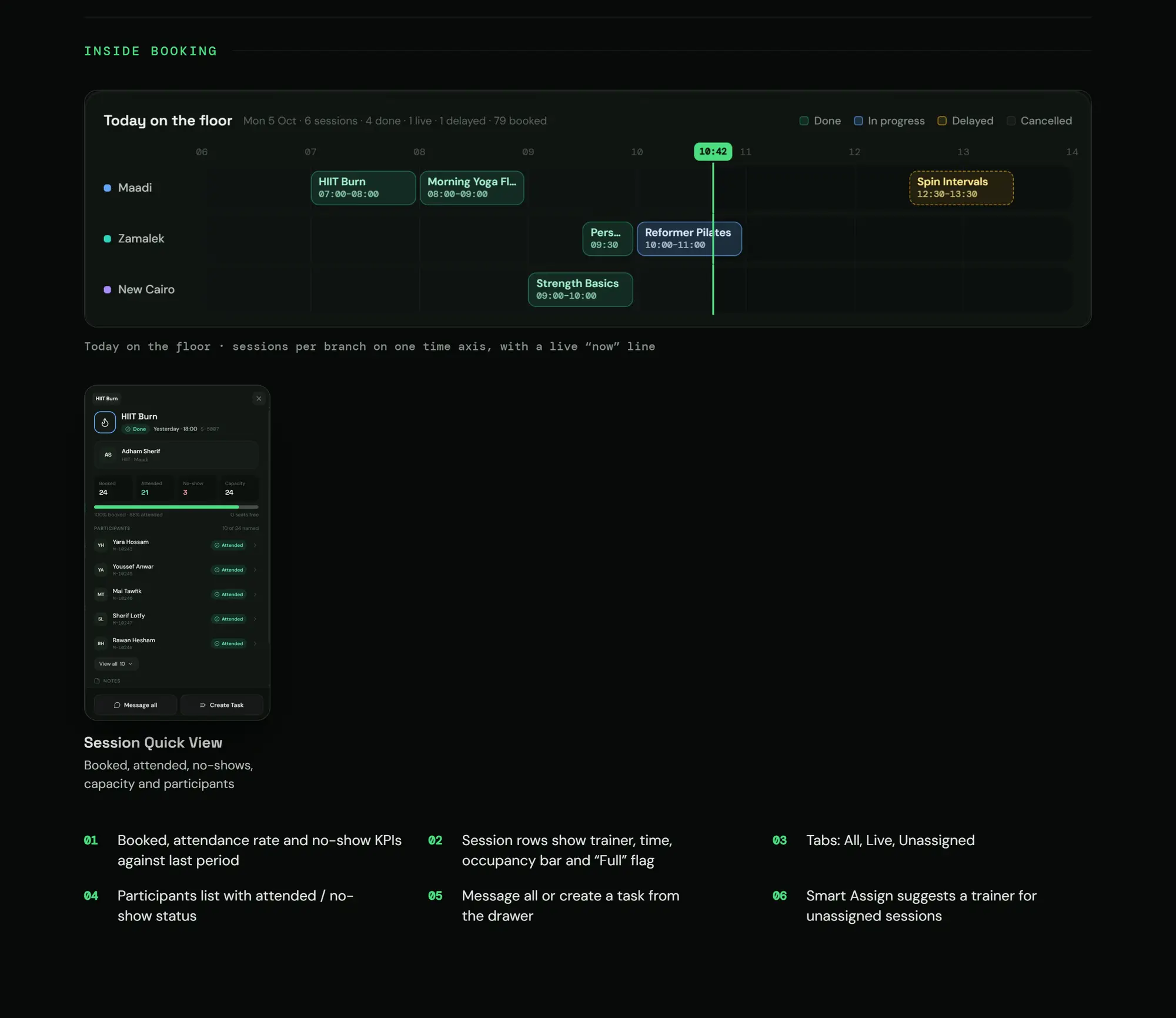
The 6 o'clock class is full again
With Zidne
All branches on one timeline
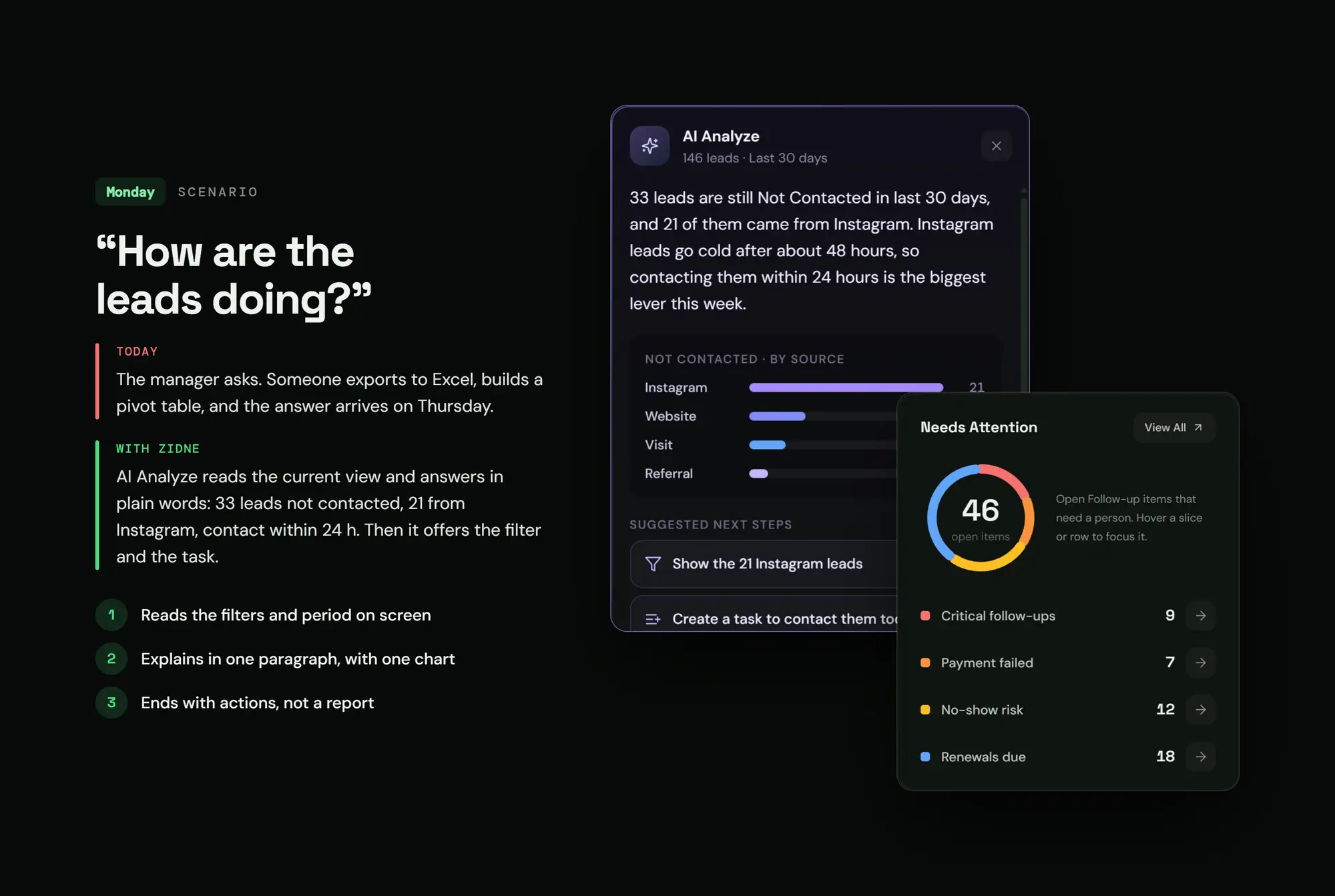
Monday · The problem today
"How are the leads doing?" and the answer arrives on Thursday
With Zidne
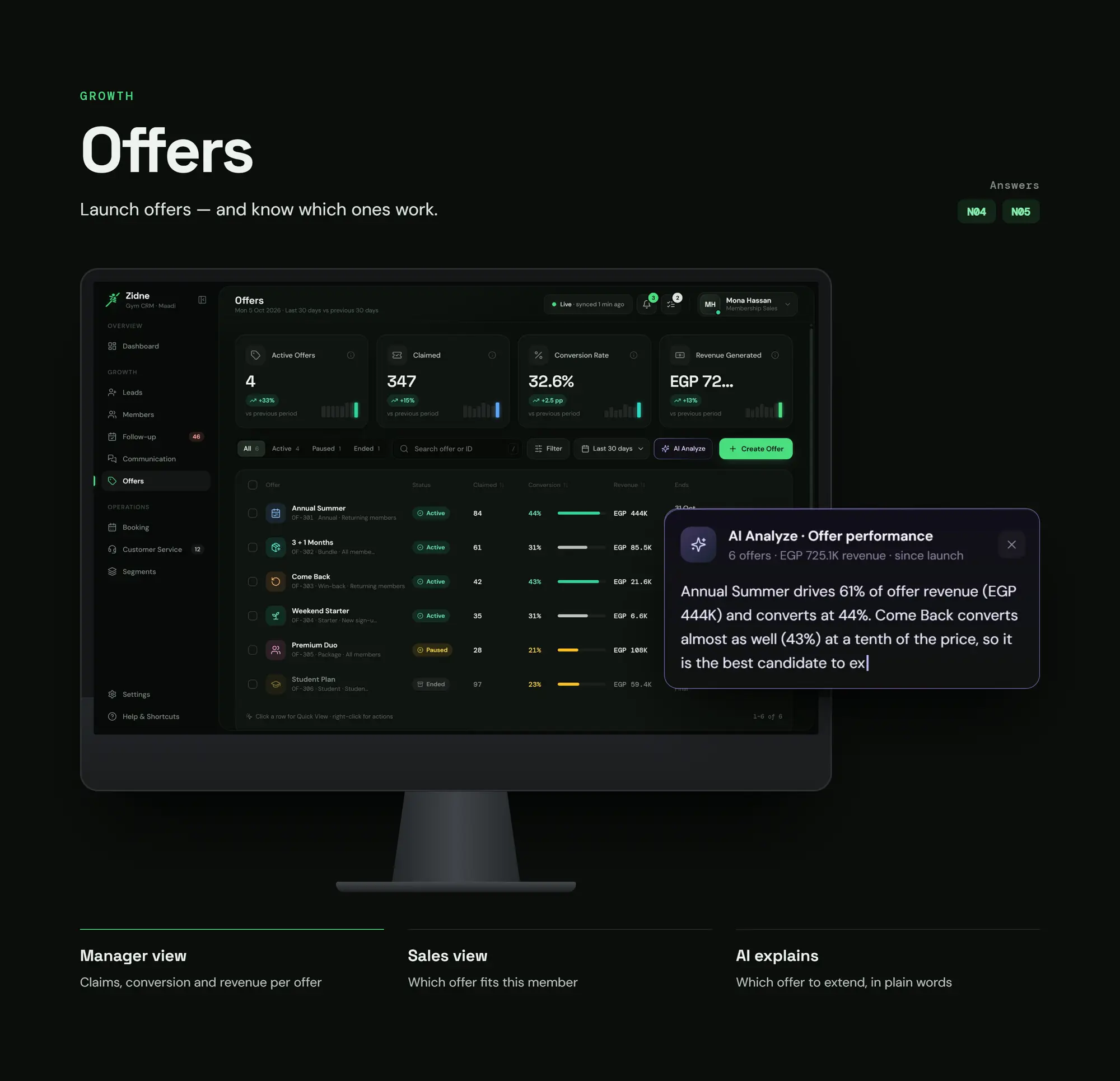
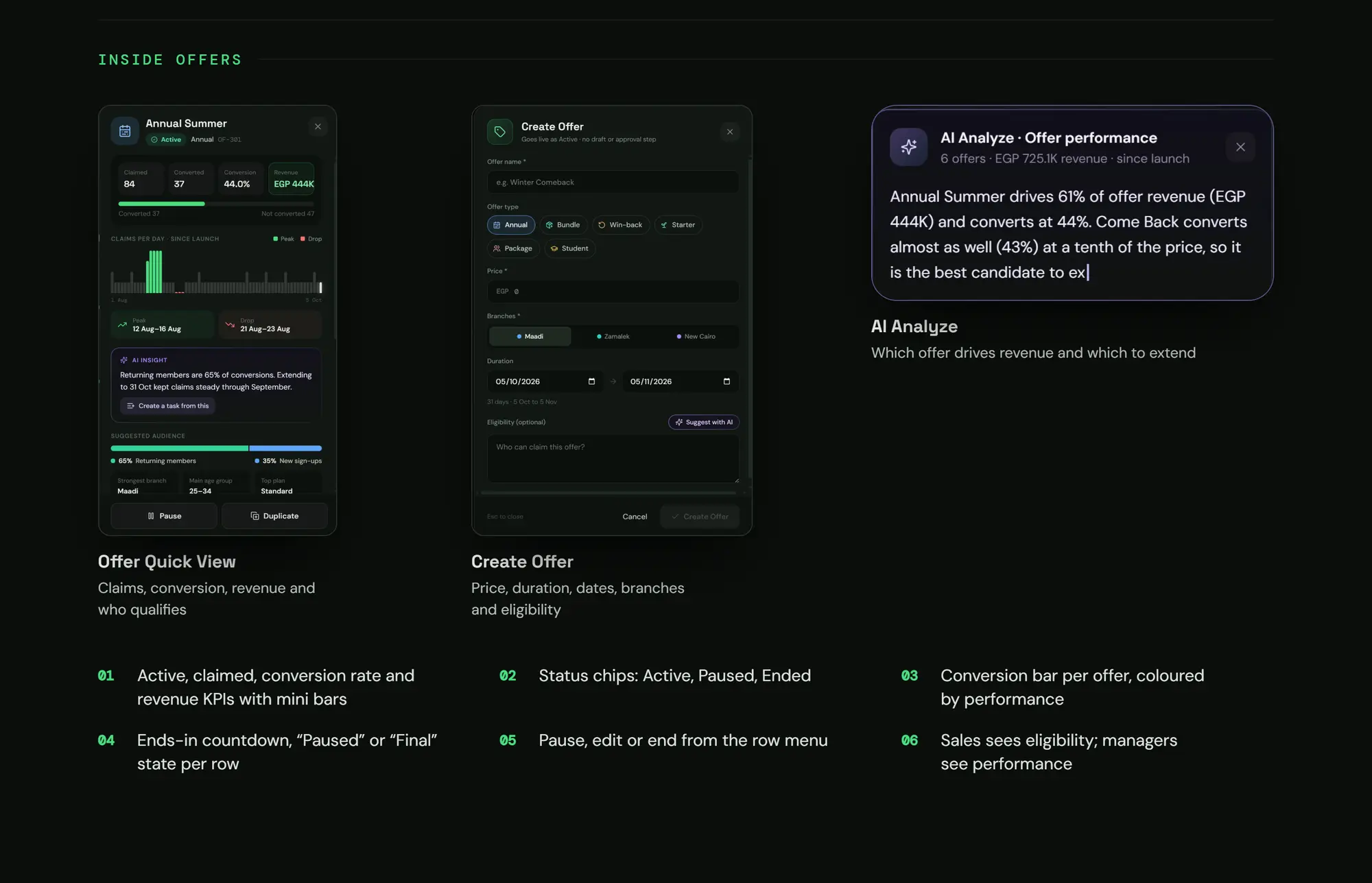
AI Analyze answers in a paragraph and a chart, and ends with an action
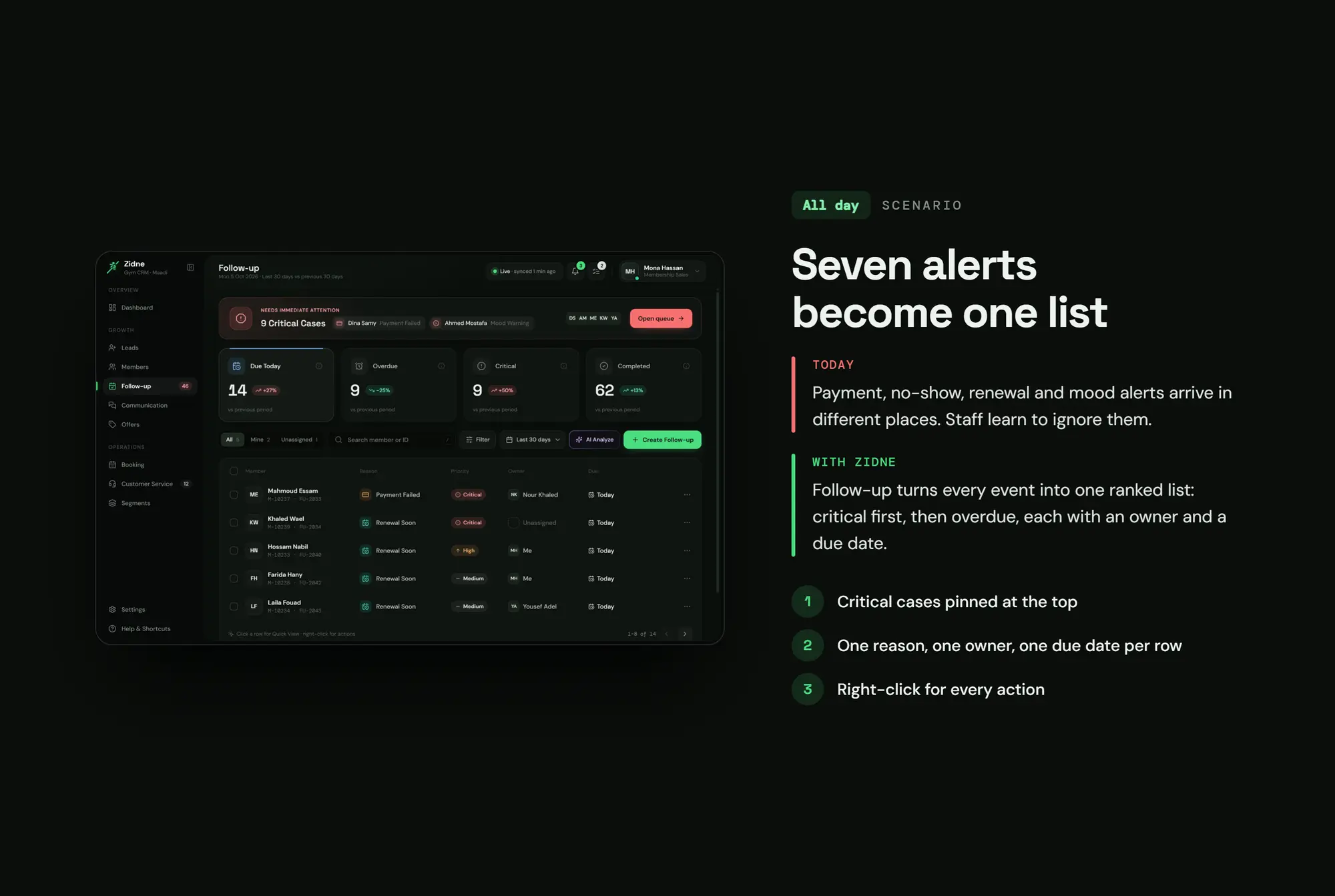
All day · The problem today
7 alerts in 7 places
With Zidne
One ordered follow-up list
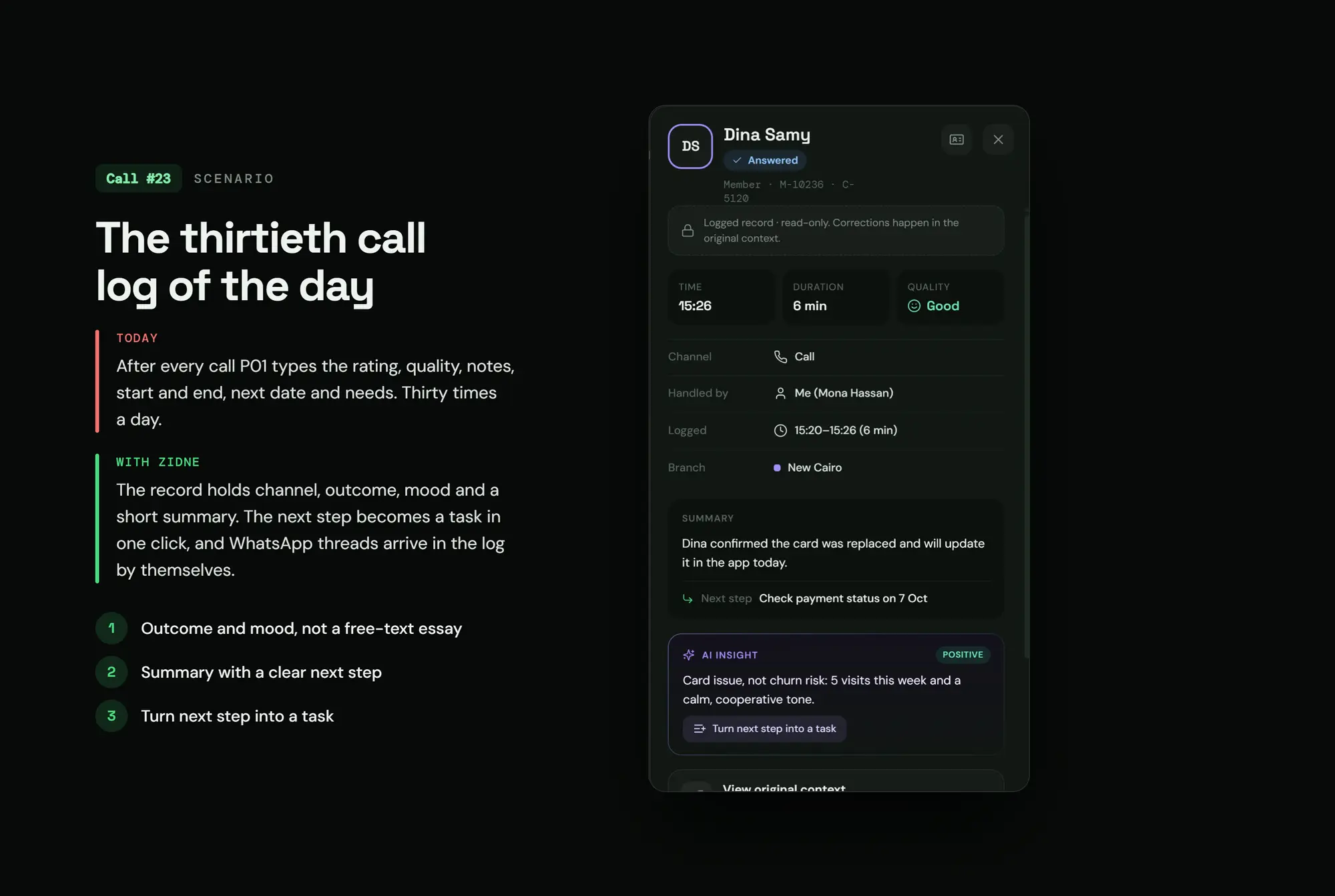
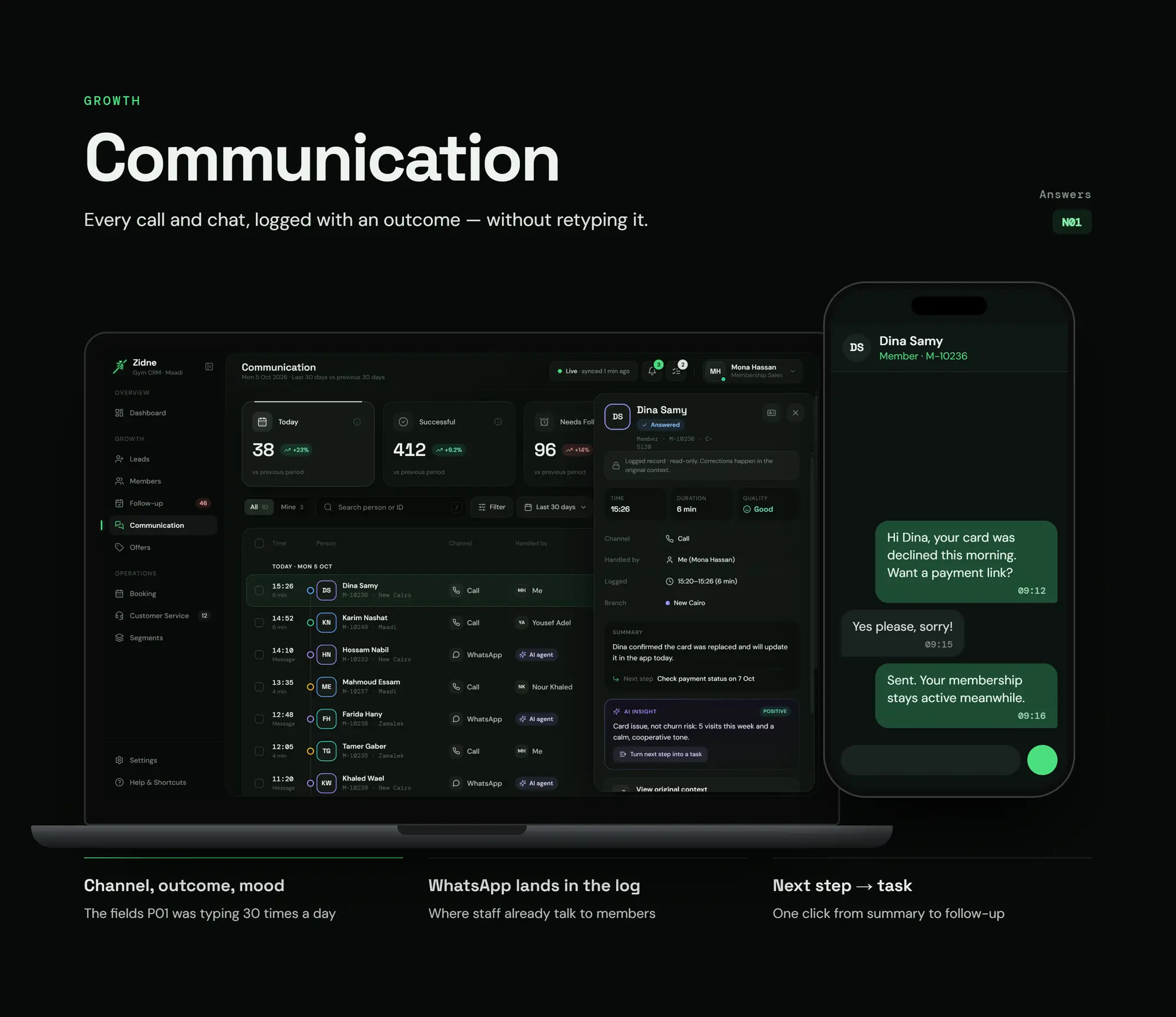
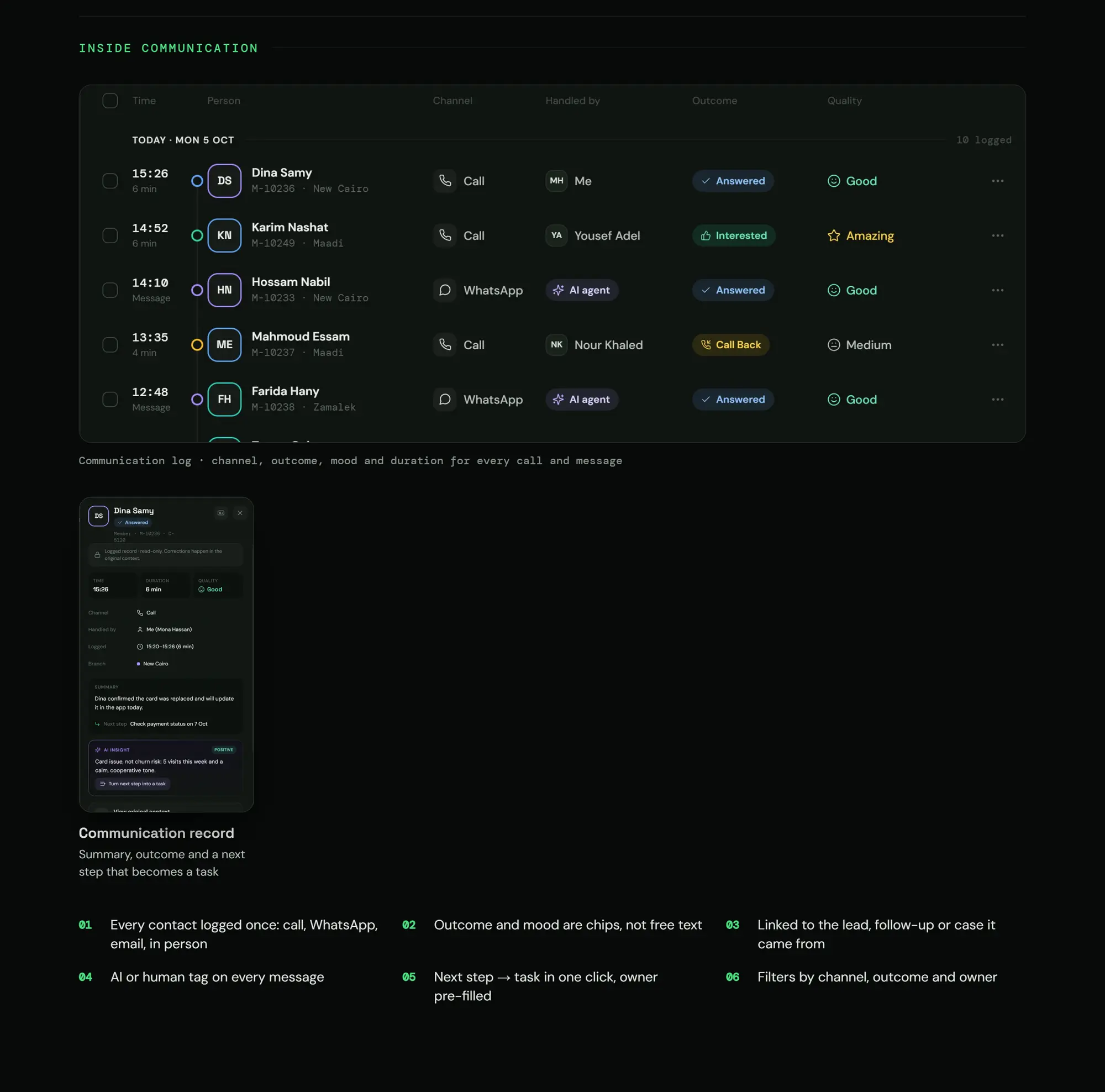
Call #30 · The problem today
A written report after every call
With Zidne
Outcome, mood, a summary and the next step
AI that shows its work
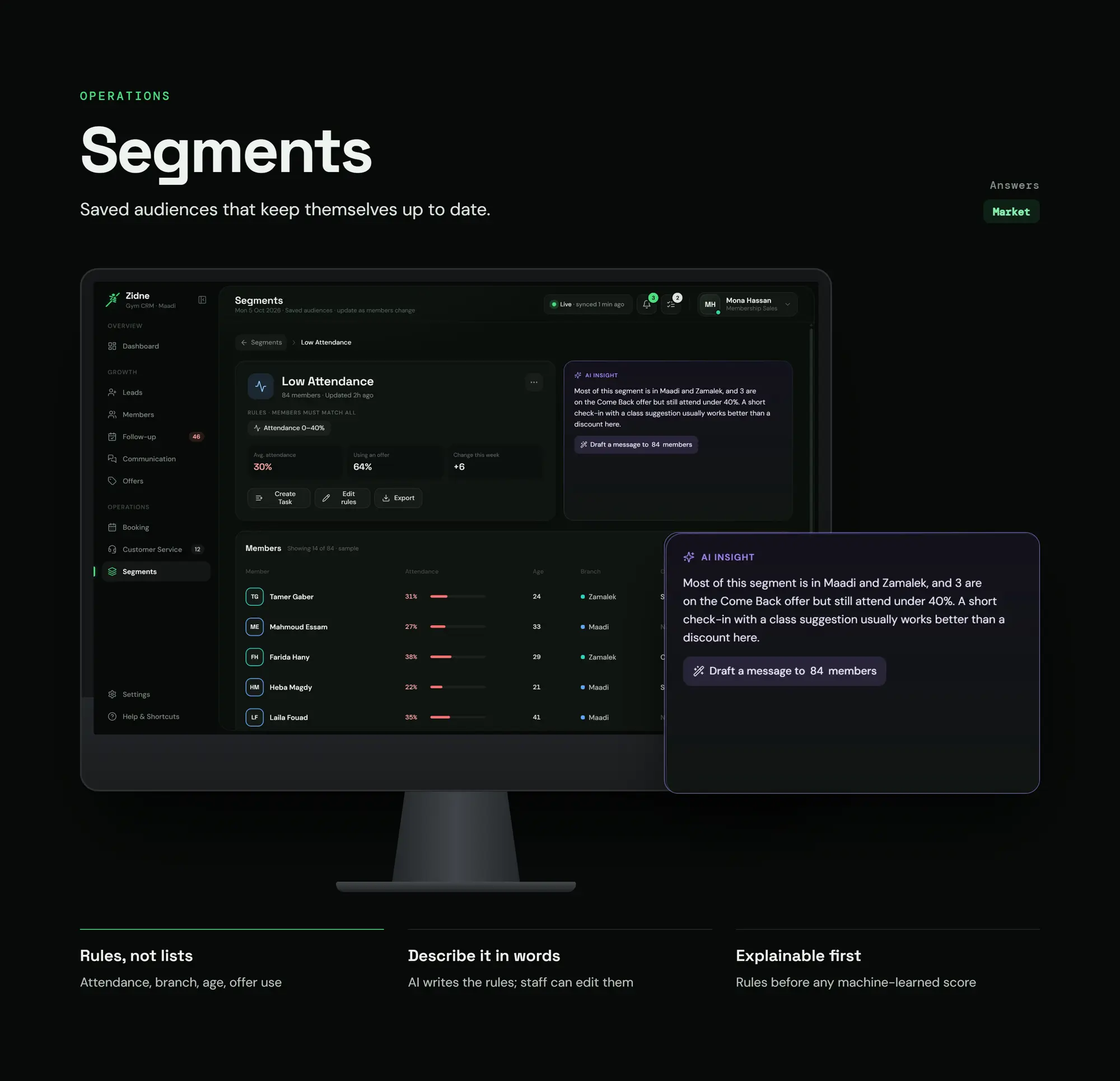
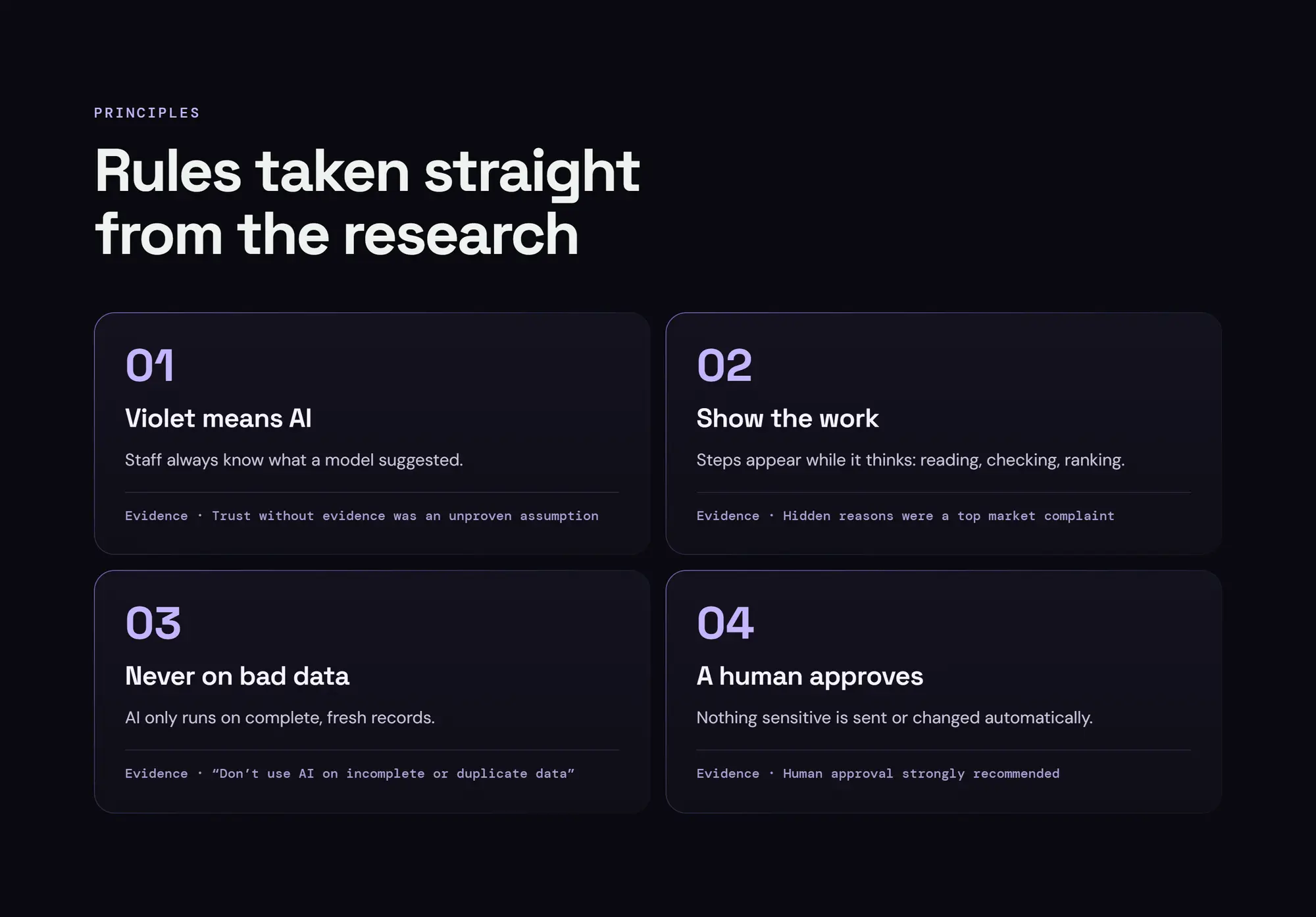
D3: AI suggests, ranks and explains. The human decides.
- Nothing sensitive happens automatically without a human.
- AI never sits on a spinner: it shows its steps, the reply appears as it's being written, and it ends with buttons for the human to press.
Trust in AI comes from watching it think.

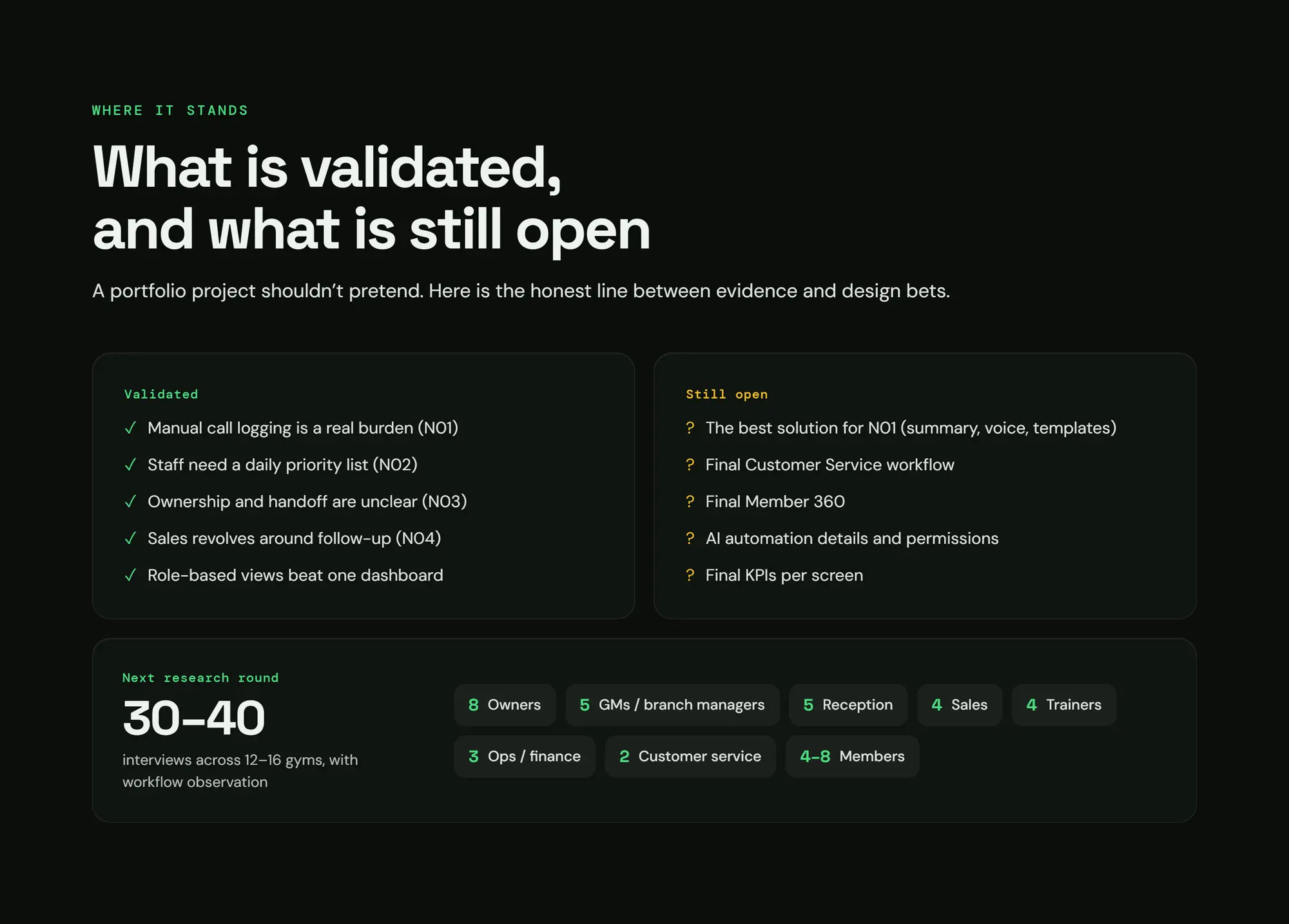
Where it stands
Proven
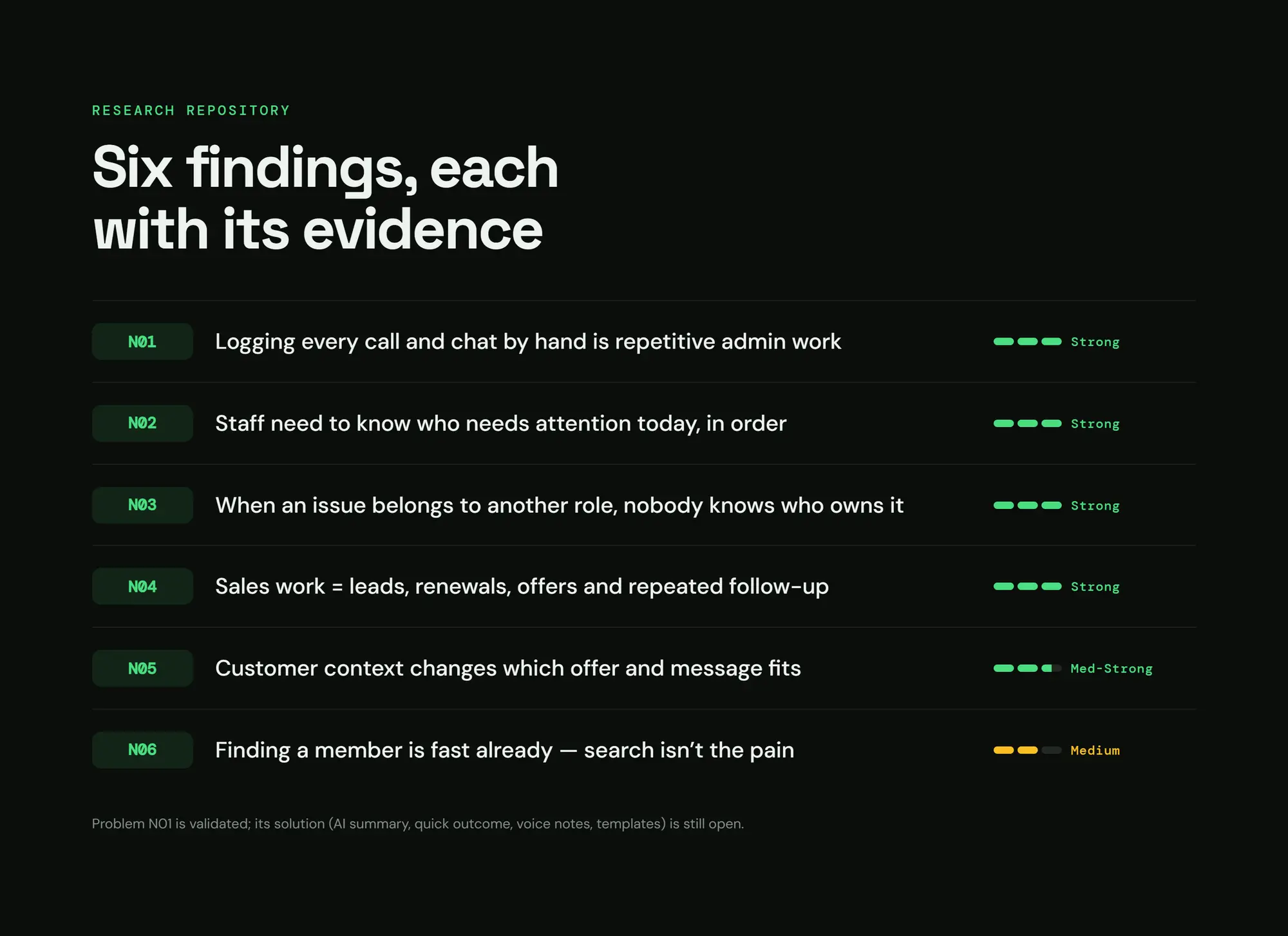
- Logging calls by hand is a real burden
- Staff need a daily priority list
- Ownership and handovers are unclear
- Sales revolves around follow-up
- Role-based views beat a single dashboard
Still open
- The best way to log calls
- The final customer service workflow
- The final Member 360
- Details and permissions of the AI automation
- The final KPIs for each screen
Next round: 30–40 interviews in 12–16 gyms.